
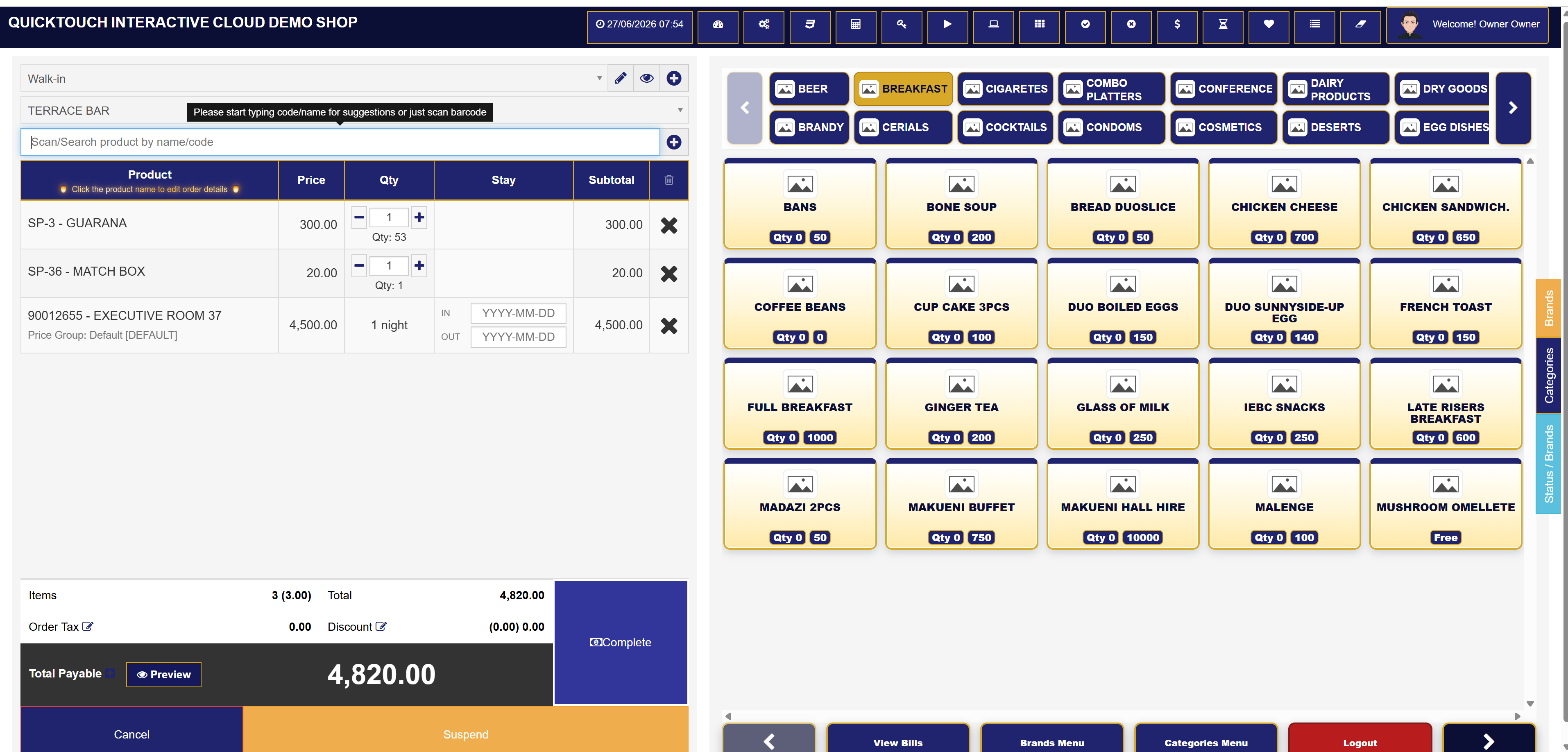
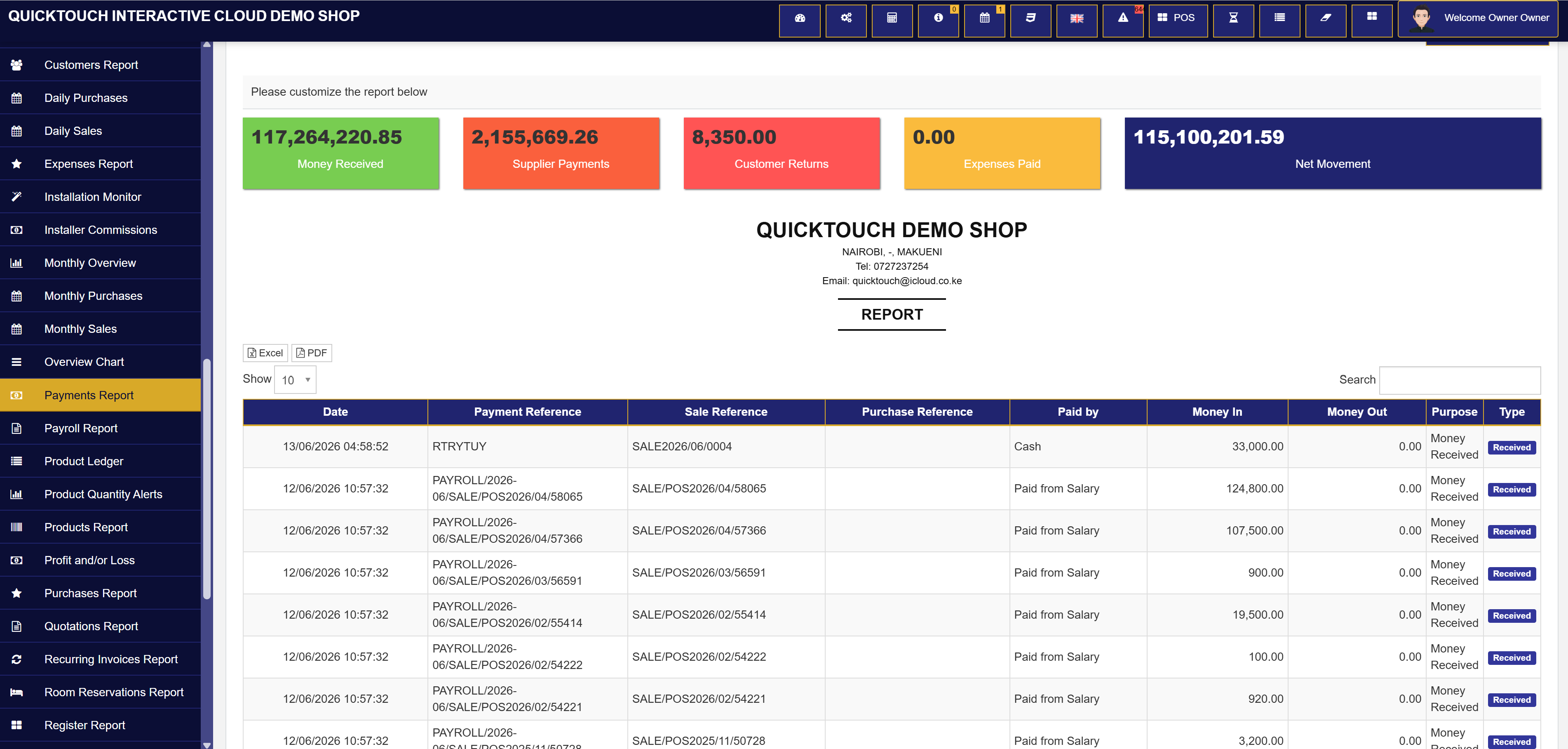
Kitchen/bar category print buttons can require a suspended order first, then only print new quantities.
☁️ Cloud POS for fast-moving businesses
Run sales, stock, rooms, ecommerce, payments, and reports from one business dashboard.
QuickTouch POS is built for businesses that need speed at the counter, clear stock control, online ordering, customer communication, and strong owner visibility without jumping between separate systems.
🧾 POS receipts
📦 Stock tracking
🏨 Hotel ready
📲 M-Pesa STK
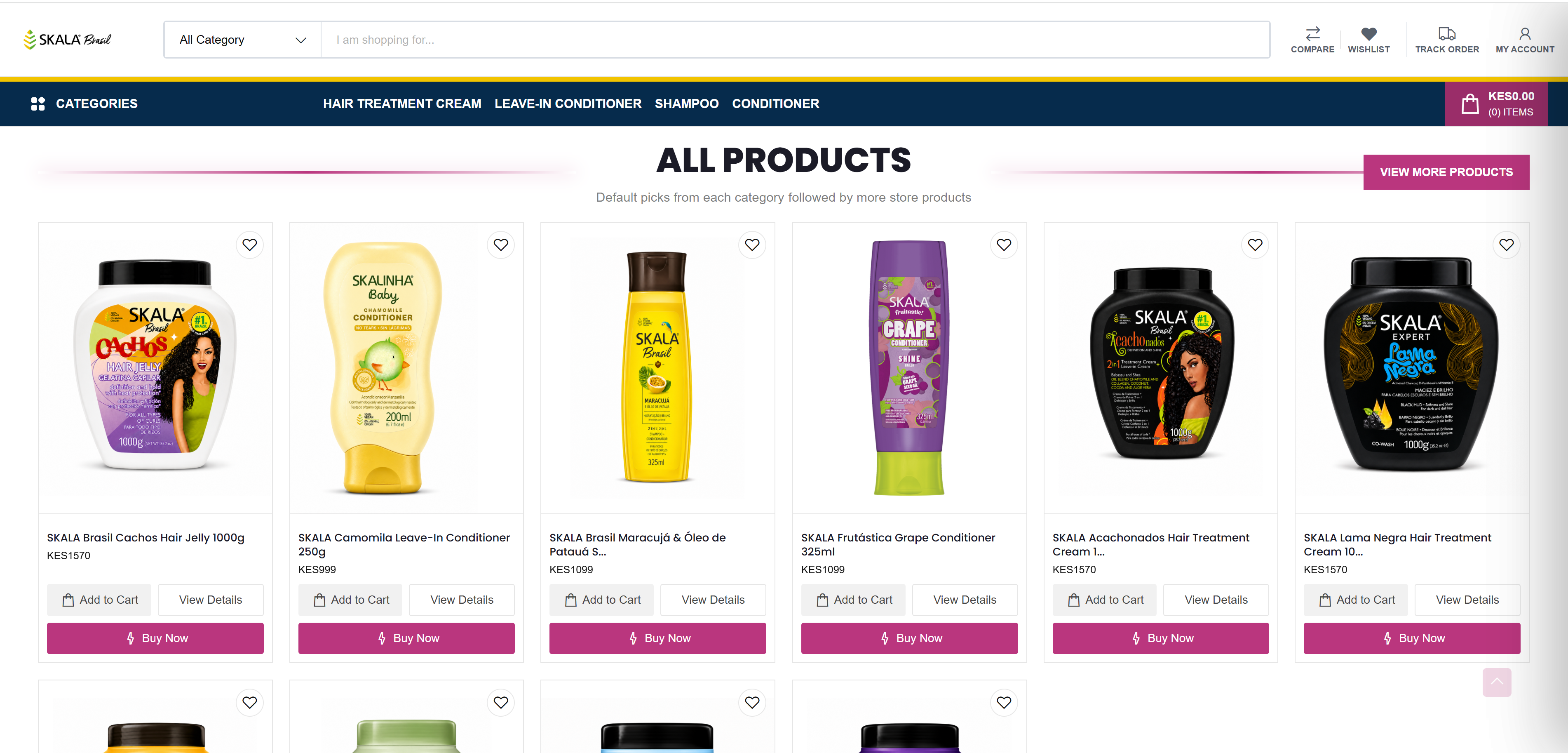
6 products per section
New arrivals, best selling, featured, and rooms.
Business owner controlled
Menus, settings, reports, and permissions.
Best fit business types
🛒 Supermarkets
🍽️ Restaurants
🏨 Hotels
🍷 Wines & Spirits
💊 Pharmacies
💇 Salons
🧰 Spare Parts
👗 Boutiques
🧾 Service Businesses
🚚 Distributors
🏫 Schools & Cafeterias
🛍️ Online Stores
Why business owners choose QuickTouch
Unique features that make this POS different
QuickTouch is not just a sales screen. It joins business onboarding, POS selling, split receipts, category order printing, ecommerce, rooms, eTIMS-ready workflows, reminders, staff permissions, and database maintenance into one working environment.
Split one bill into several receipts from POS sales when customers want separate payments.
Products, services, rooms, wishlists, checkout, and online order tracking live beside the POS.
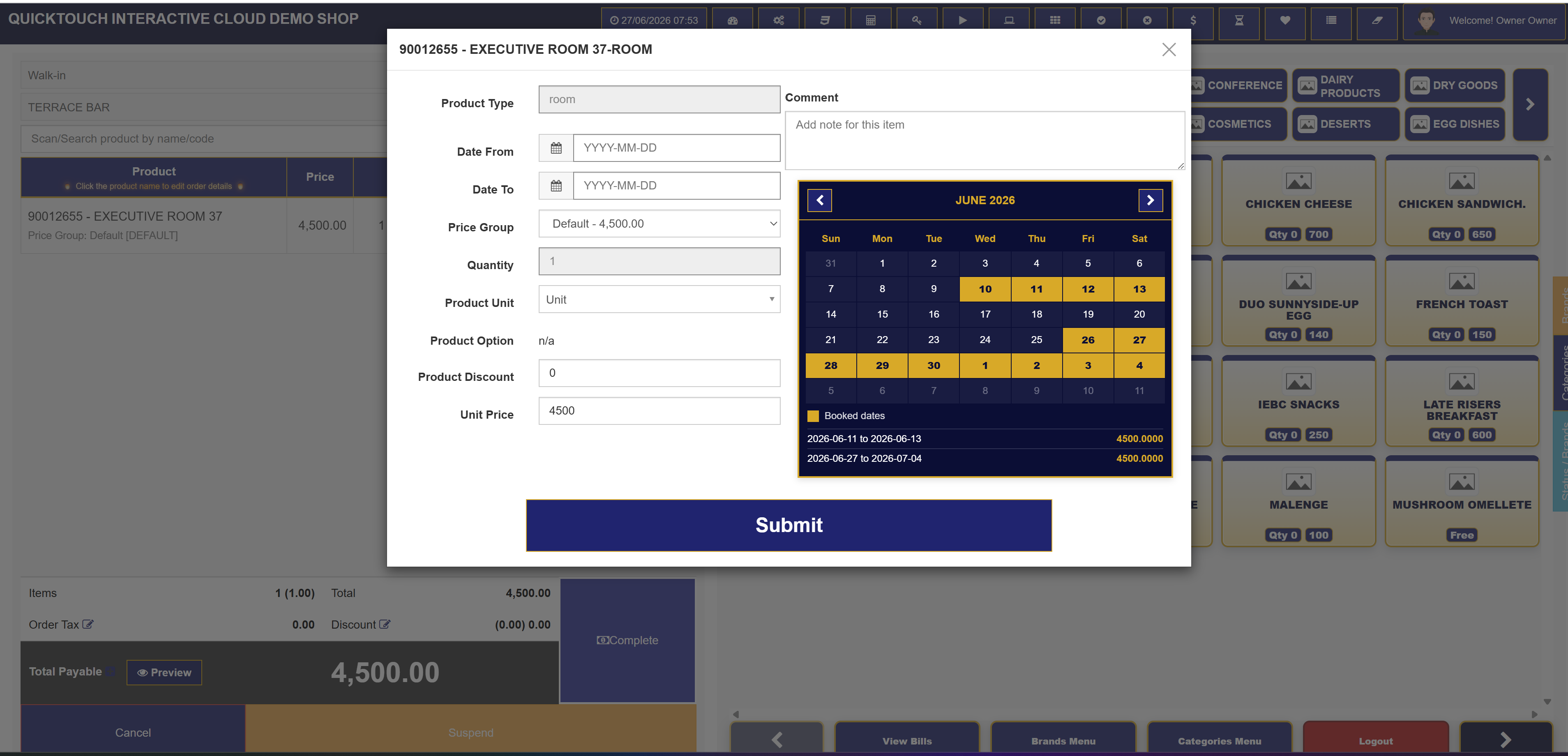
Rooms, bookings, reservations, guest flows, and room sales can sit in the same business dashboard.
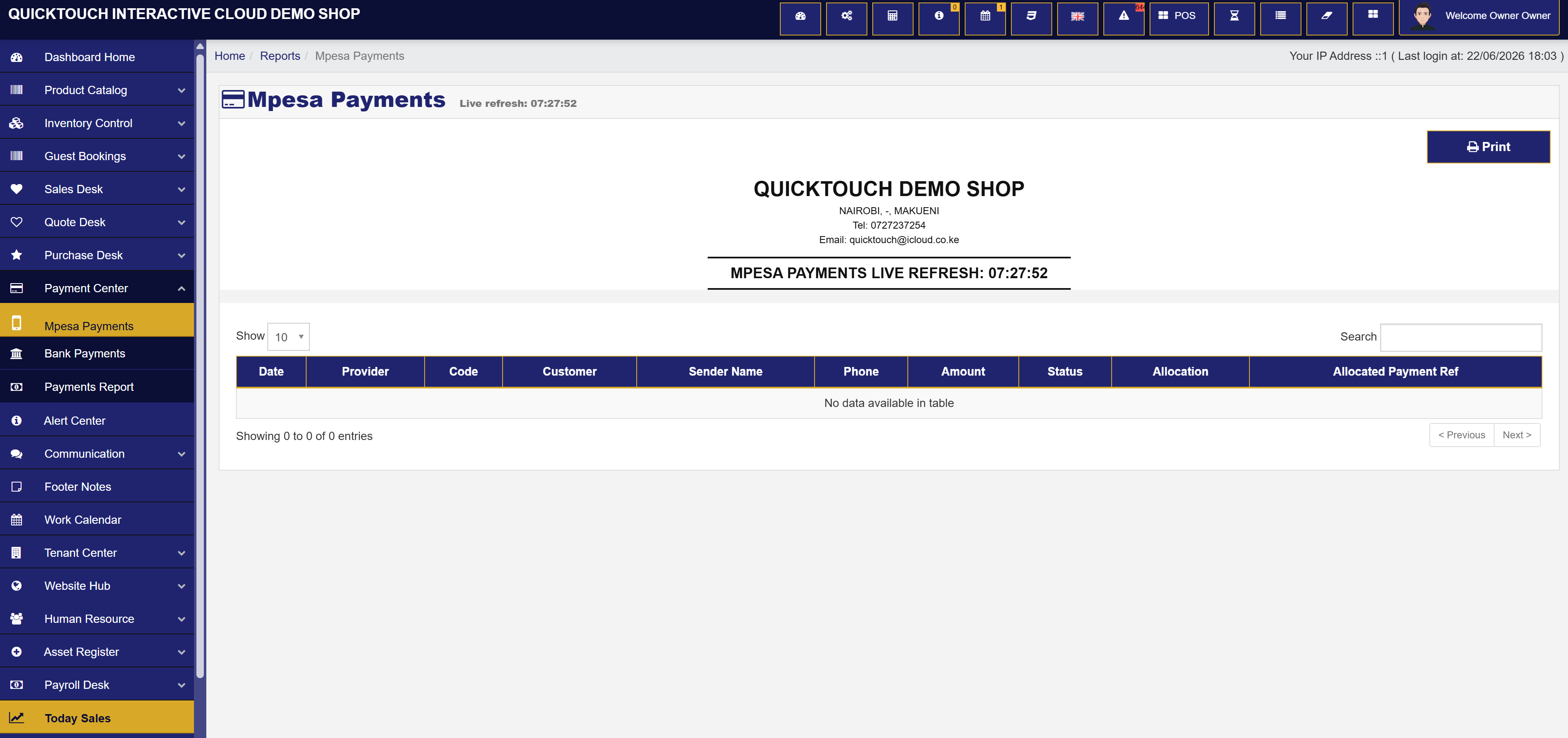
Collect online and onboarding payments, track paid amount, balances, and payment status.
Receipts, invoices, stock movement, and retries are prepared around compliant transaction workflows.
Business owners control modules, staff members, sales commissions, and access rules.
Backups, compatibility repair, missing column/index fixes, and local data cleanup are available.
Daily operations
Sell, track, book, collect, and report from one place
Core operations
- 🛒 Touch POS selling with quick product search and customer selection.
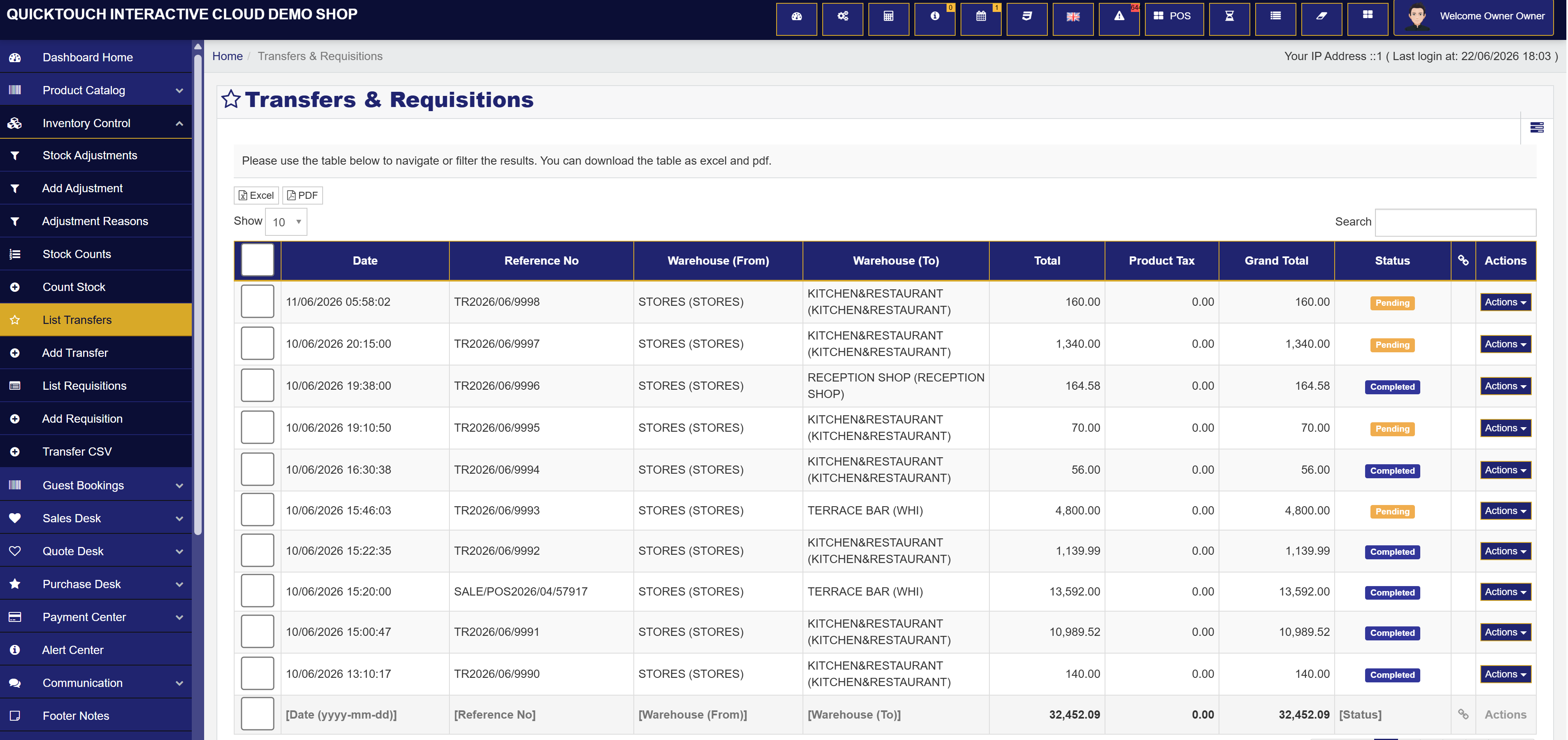
- 📦 Products, services, units, categories, brands, variants, and stock control.
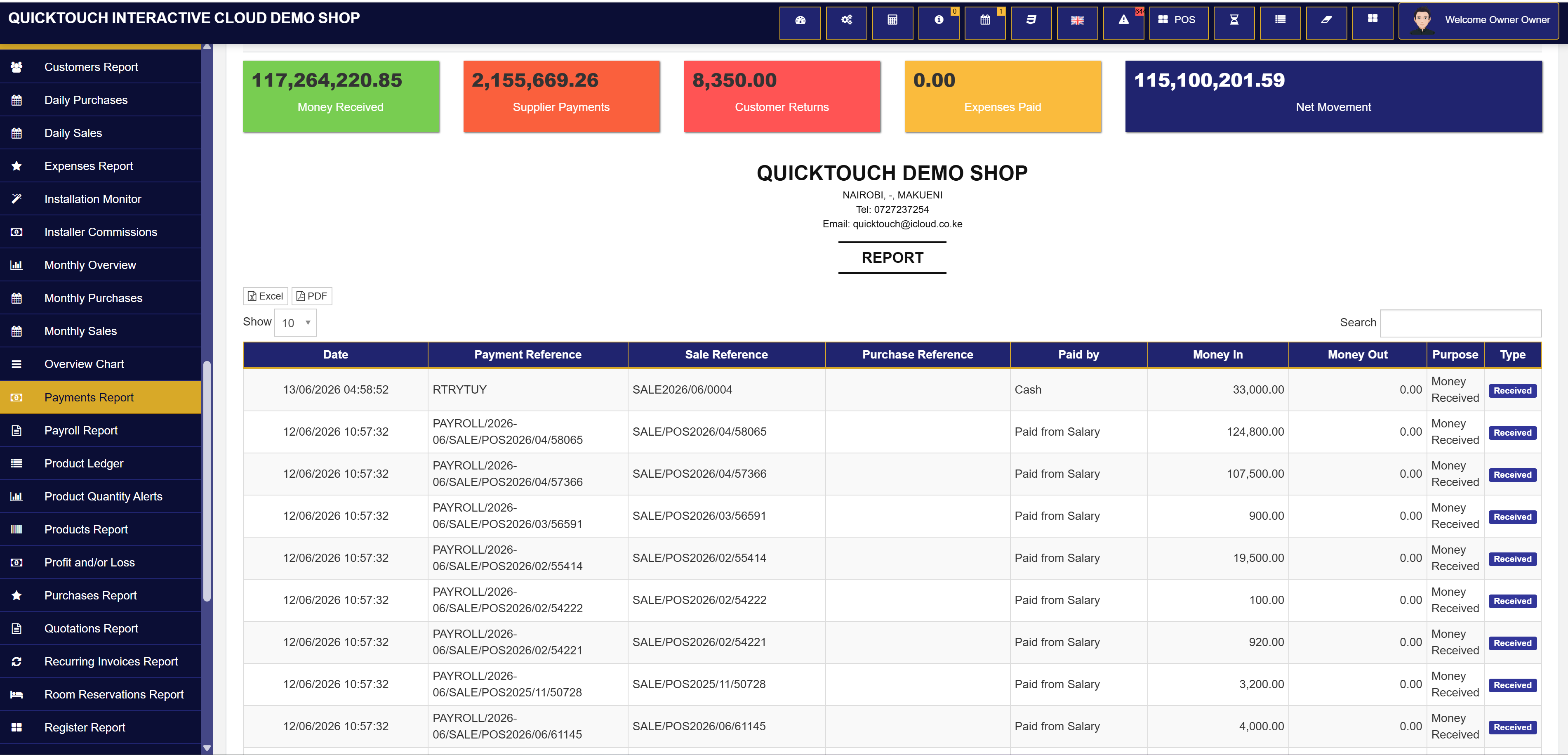
- 💳 Cash, M-Pesa, gift card, and manual payment marking workflows.
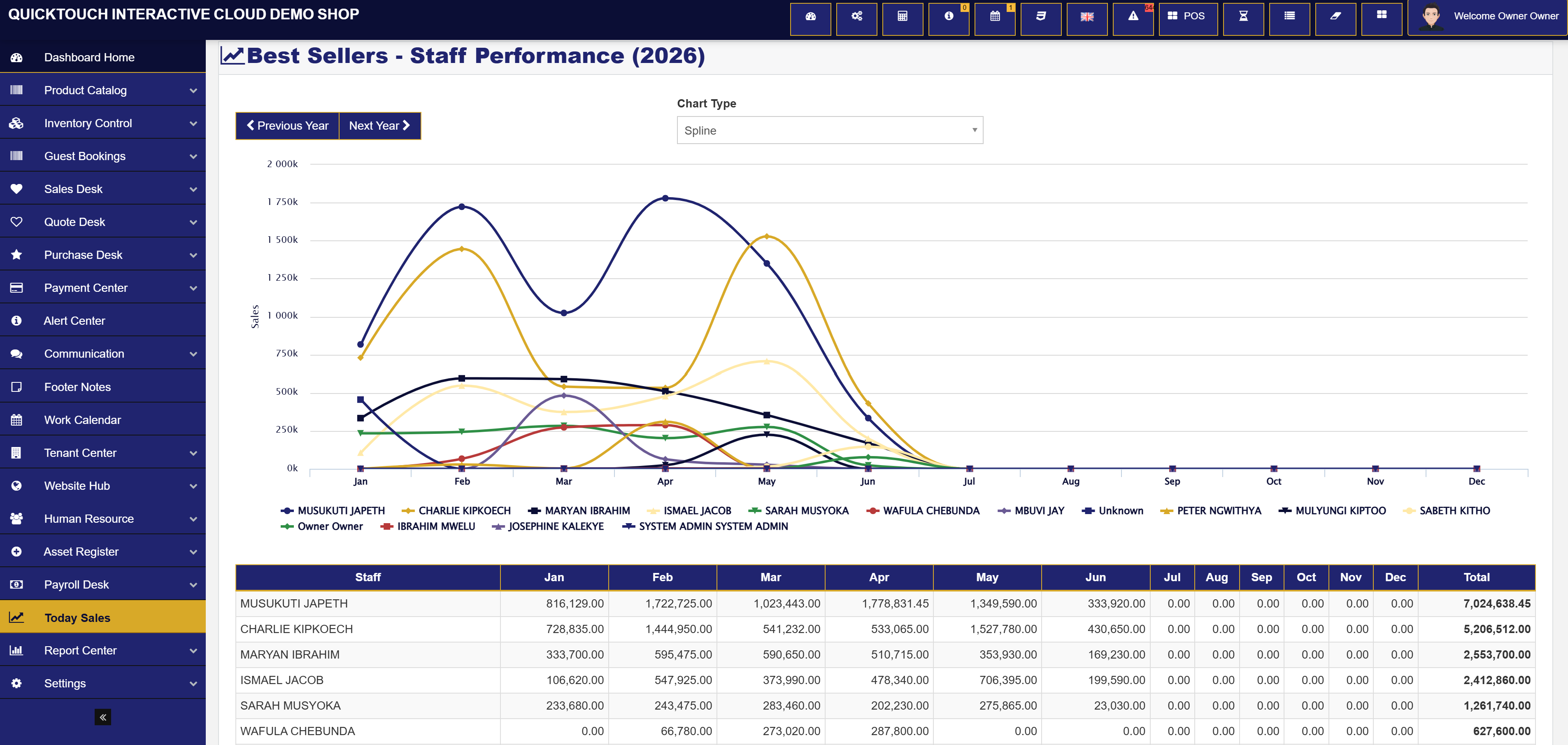
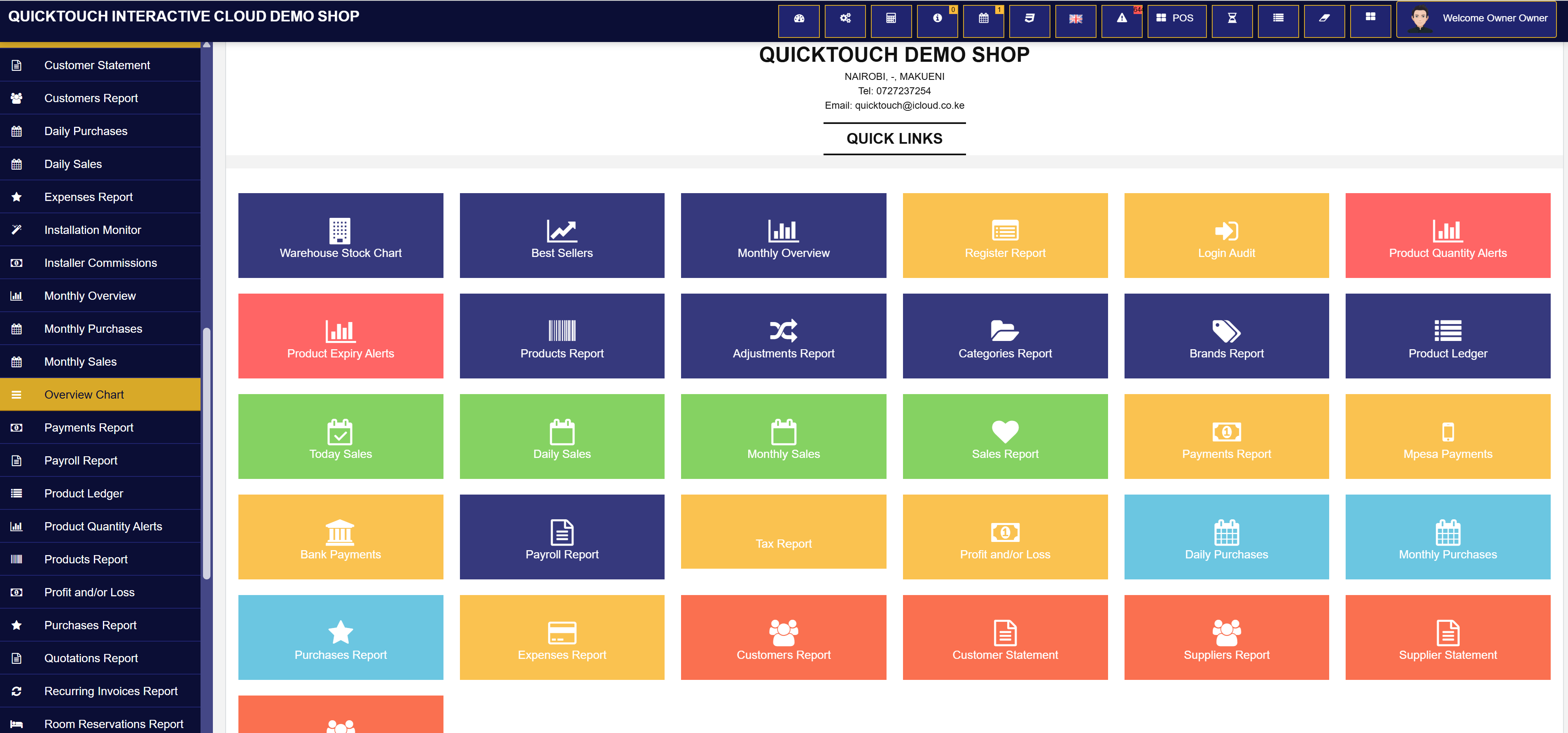
- 📈 Daily sales, profit/loss, warehouse stock, best sellers, user sales, and tax reports.
- 📢 Bulk SMS, Email, WhatsApp settings, and reminder configuration.
- 🔐 Staff members, user groups, permission management, and owner/admin safeguards.
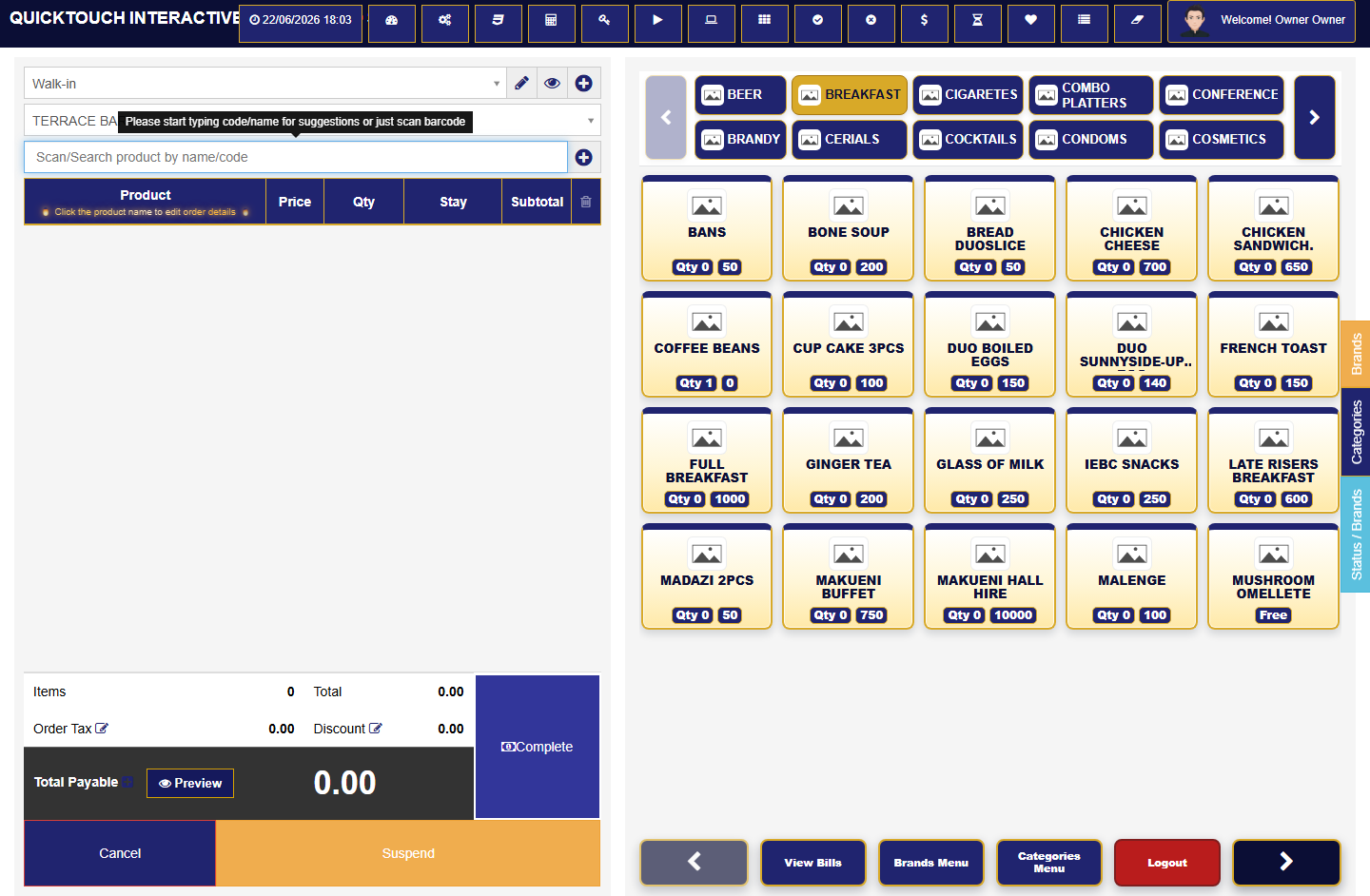
Hotel specific features
Rooms, food, reservations, and front-office billing
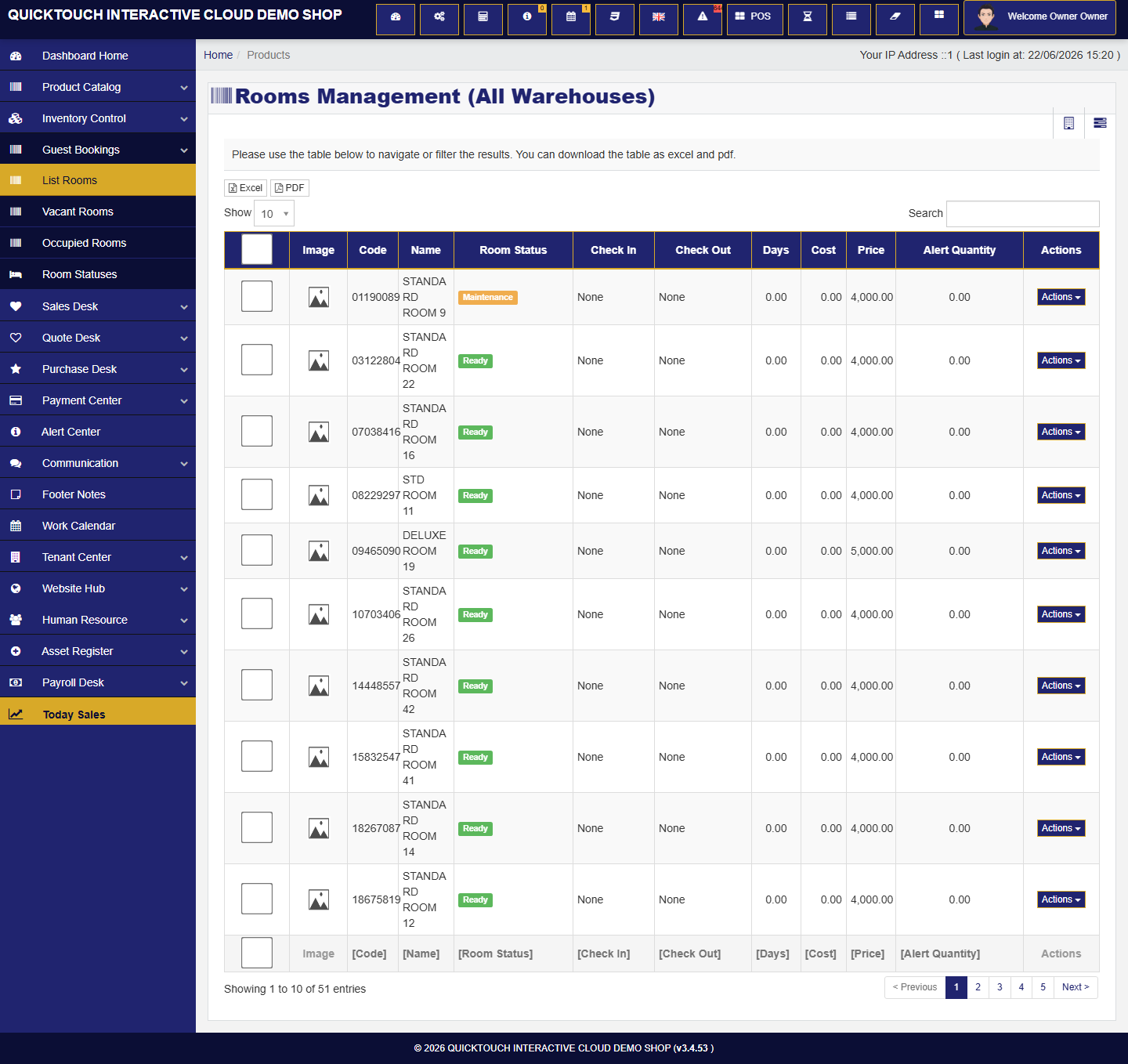
Hotel workflow
- 🏨 Room listing, room status, occupied/vacant views, and reservation tracking.
- 🍽️ Food and drinks can route to different order printouts by product category.
- 🧾 Guests can request split bills, separate receipts, or combined payments.
- 🌐 Ecommerce can show rooms and food items for online booking or ordering.
- 📊 Owners still see sales, stock, balances, expenses, payroll, and profit reports.
Live screenshots from the current project
A visual tour for clients
All screenshots below were captured from the current local QuickTouch project using dummy customer data.
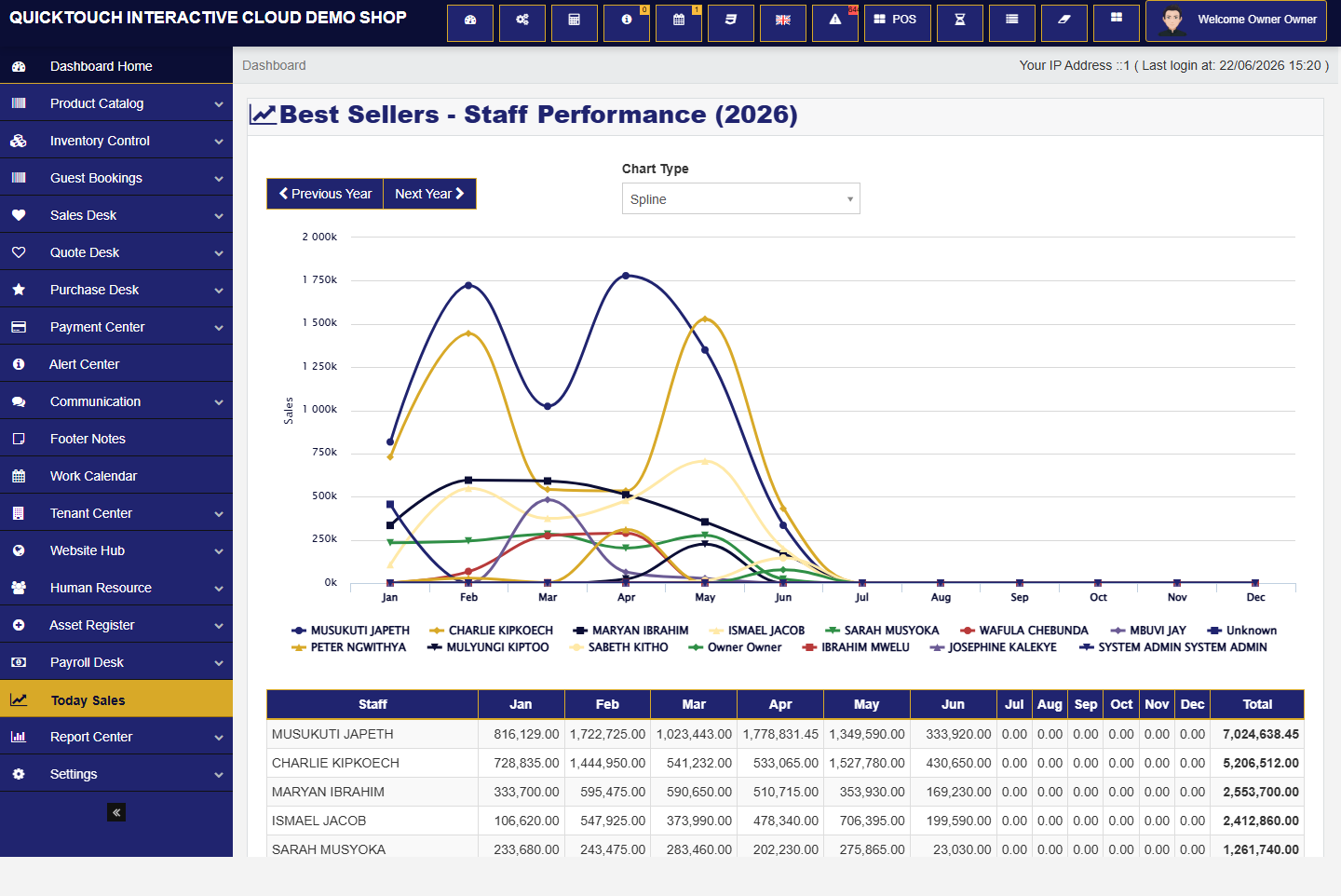
Step 01
Dashboard menu and business command center
Business owners land on a clean operational dashboard with menu access based on subscribed modules and permissions.
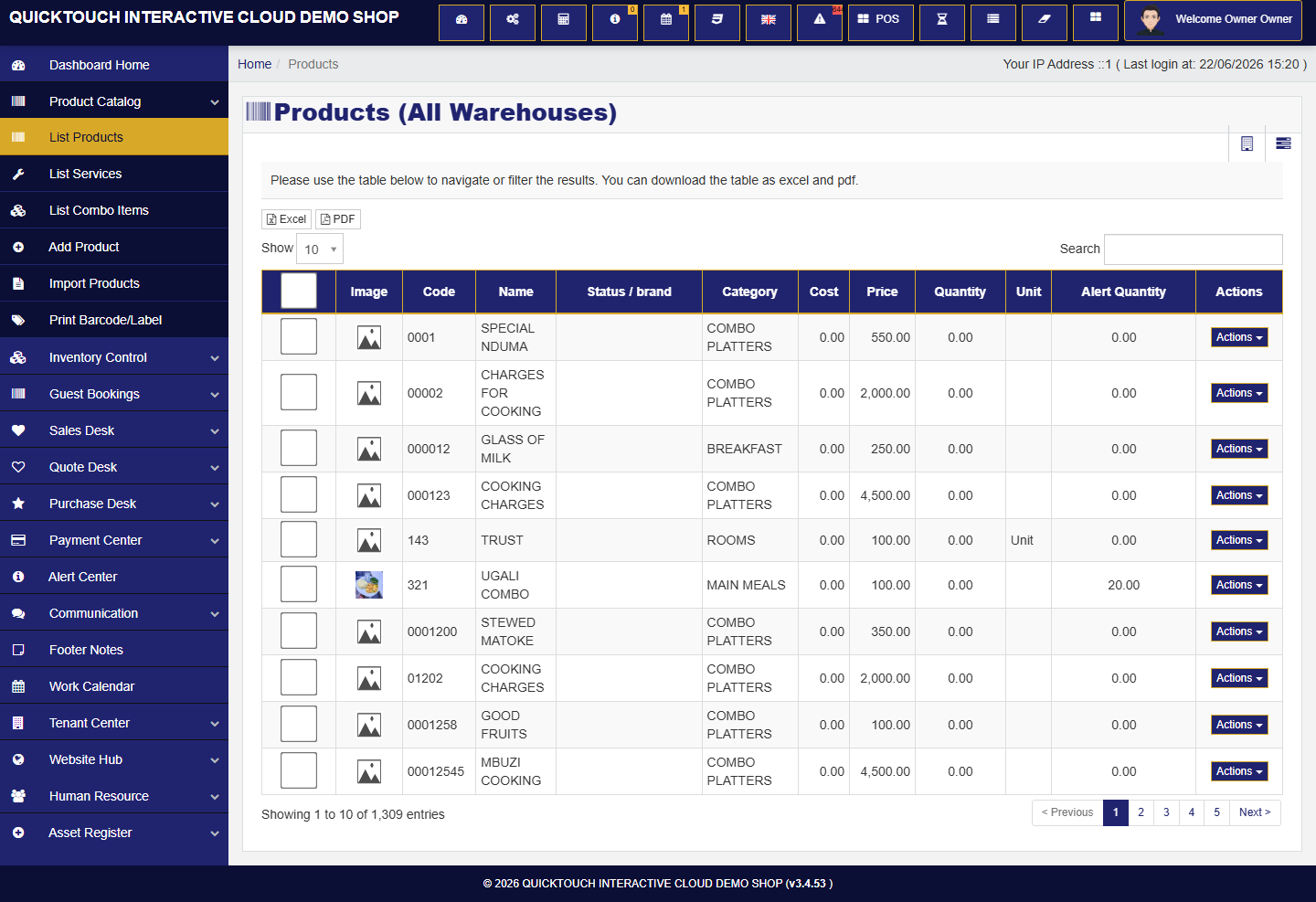
Step 02
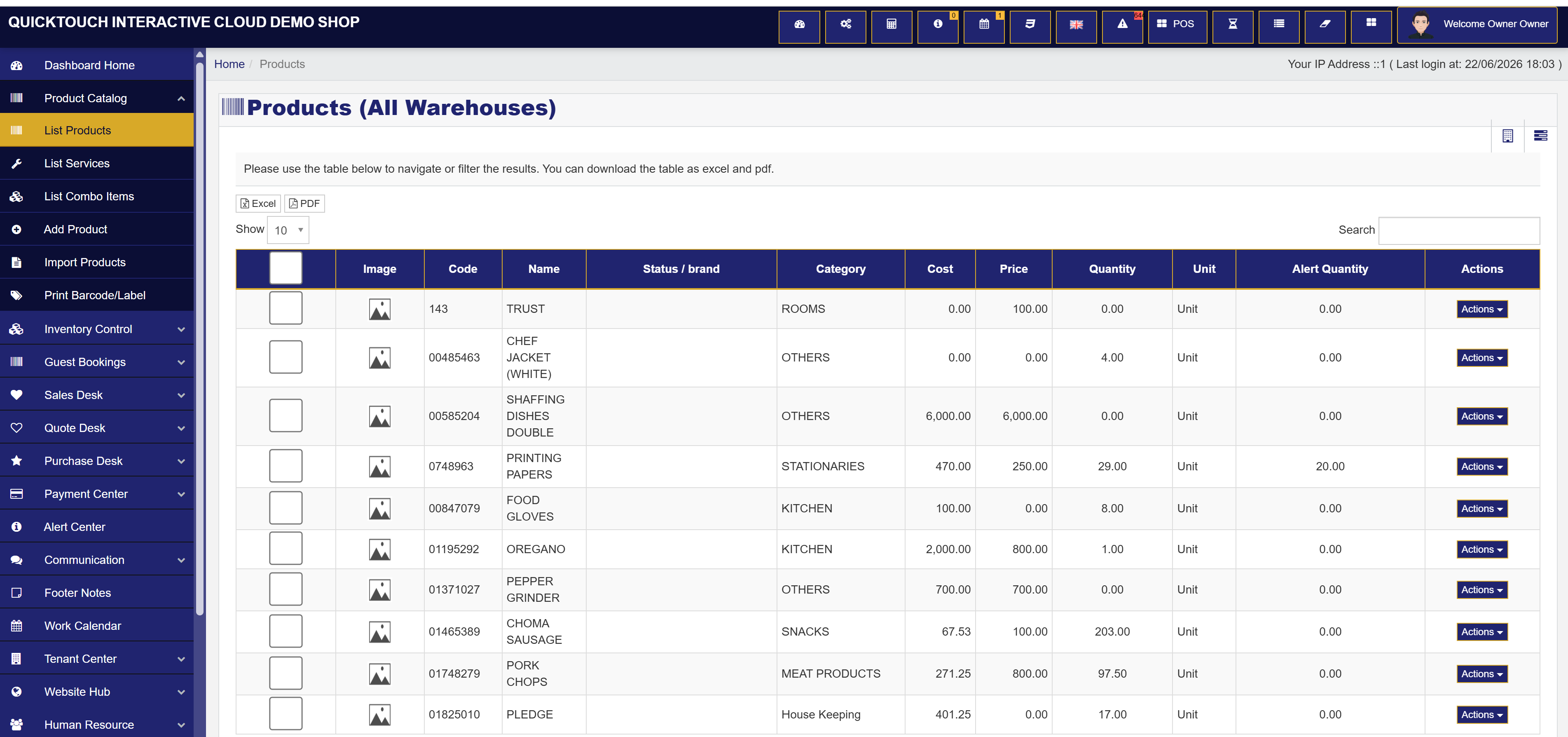
Products, services, rooms, and inventory
Product setup supports stock, service items, categories, units, variants, prices, and reporting paths.
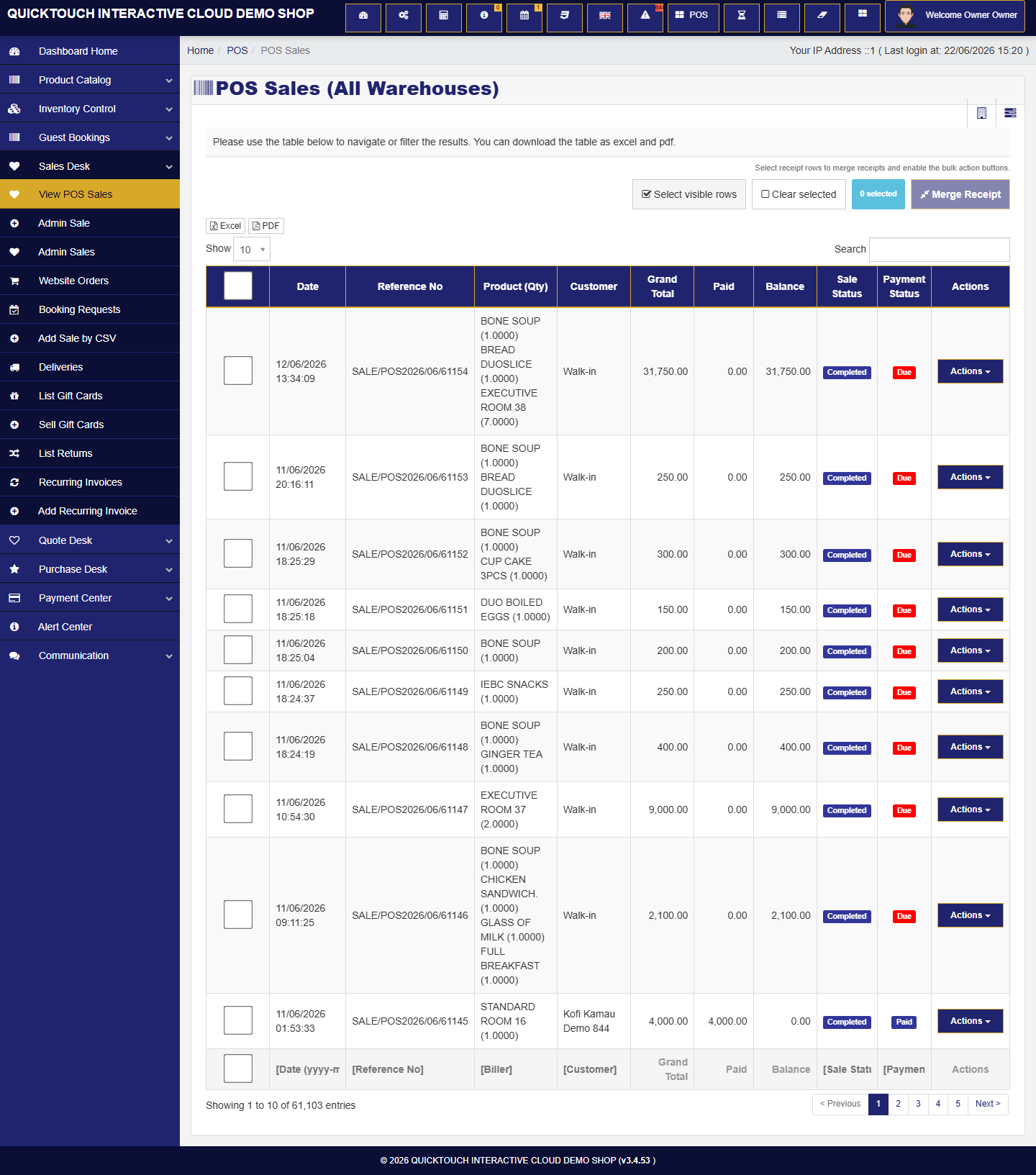
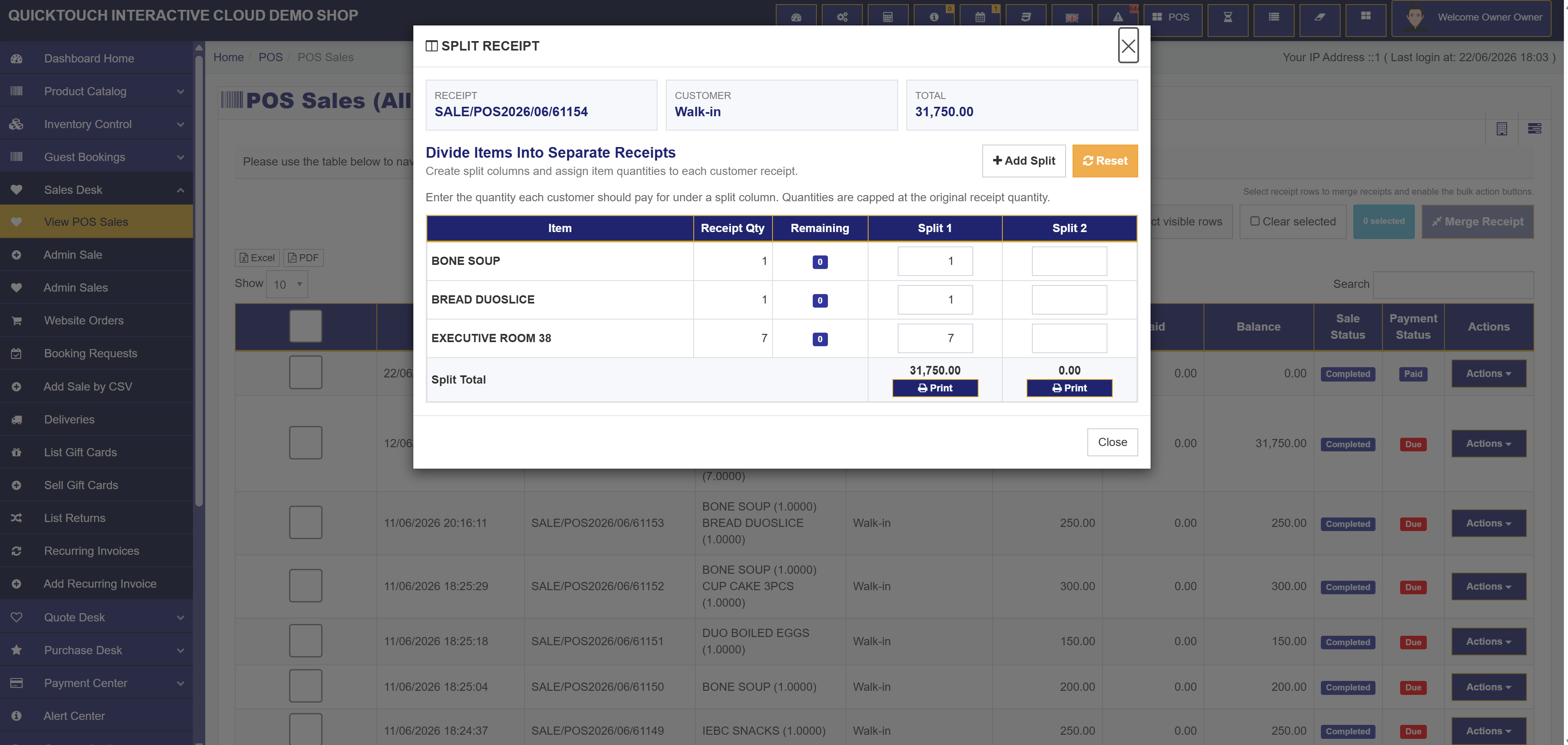
Step 03
Split receipts from POS sales
Staff can divide a completed bill into separate printable receipts when the permission is enabled.
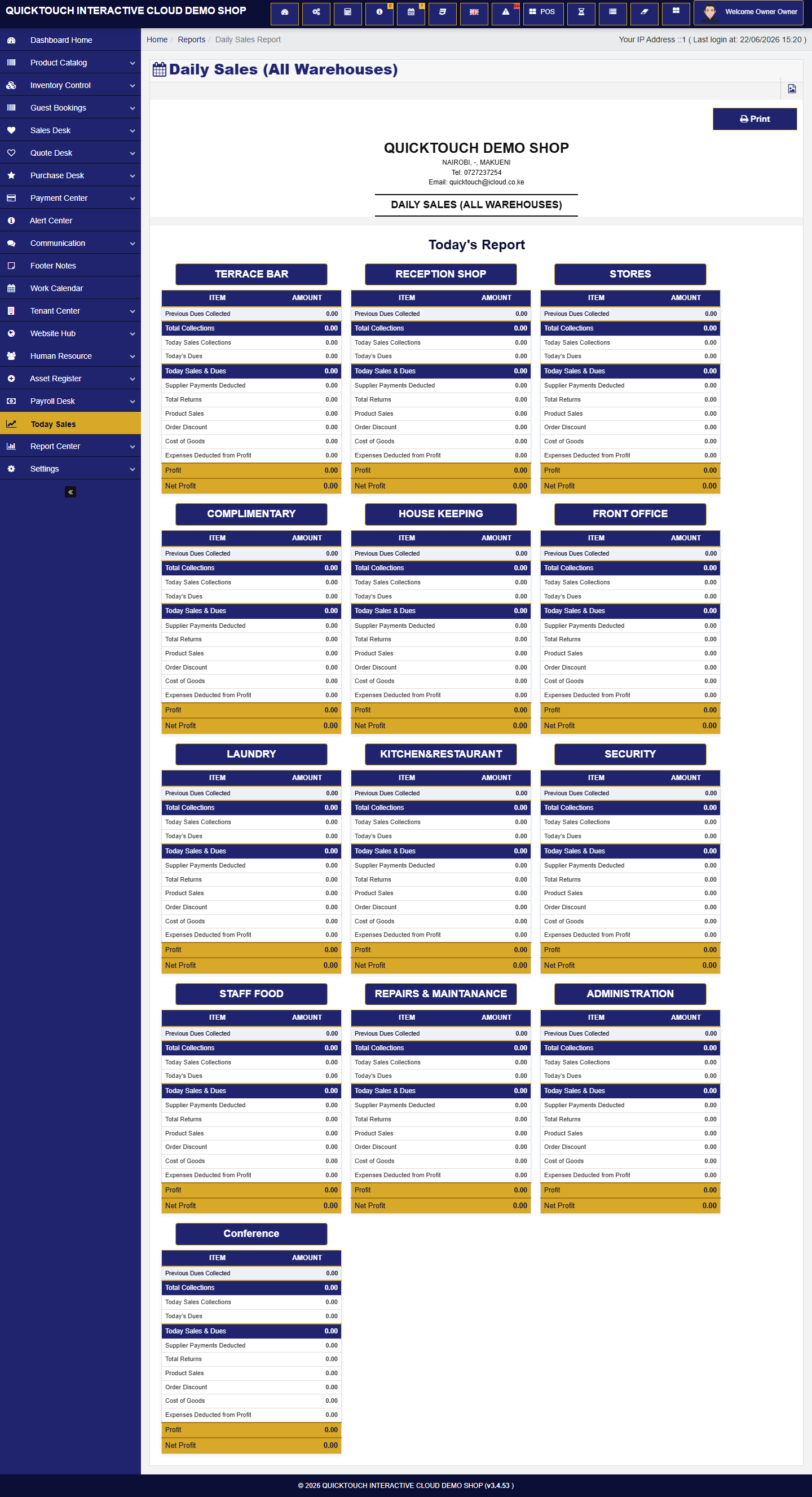
Step 04
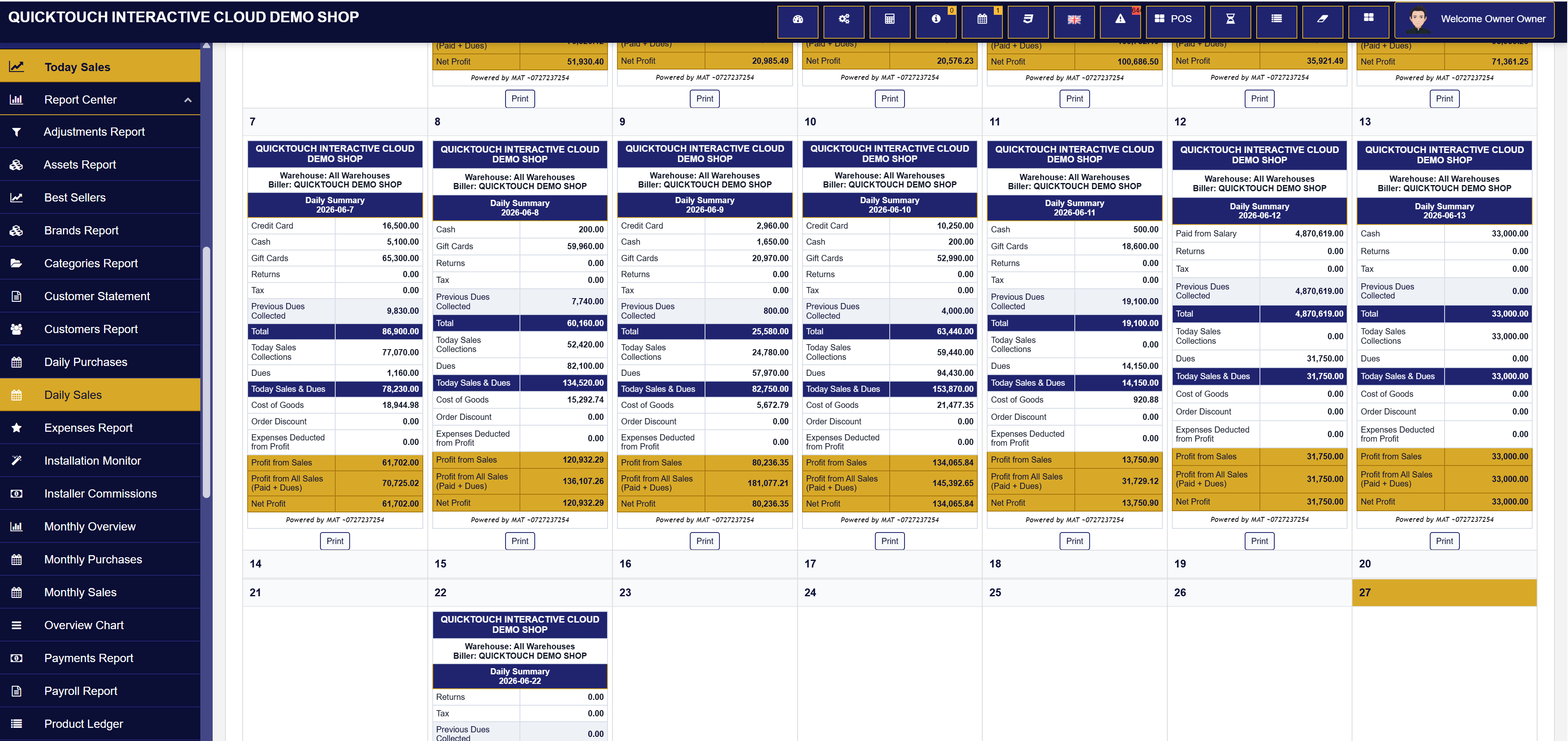
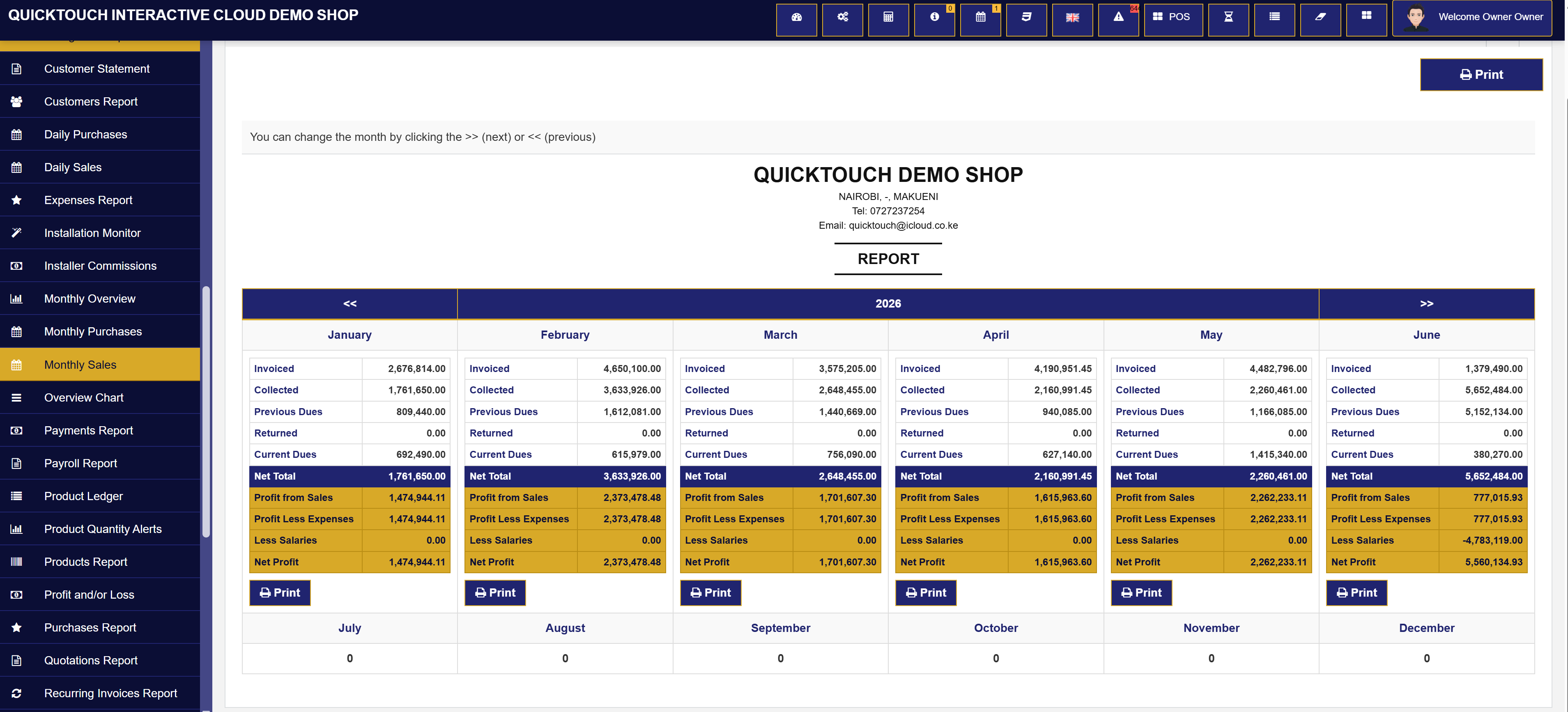
Printable daily sales reports
Daily summaries show paid sales, dues, returns, costs, expenses, and net profit in a print-ready layout.
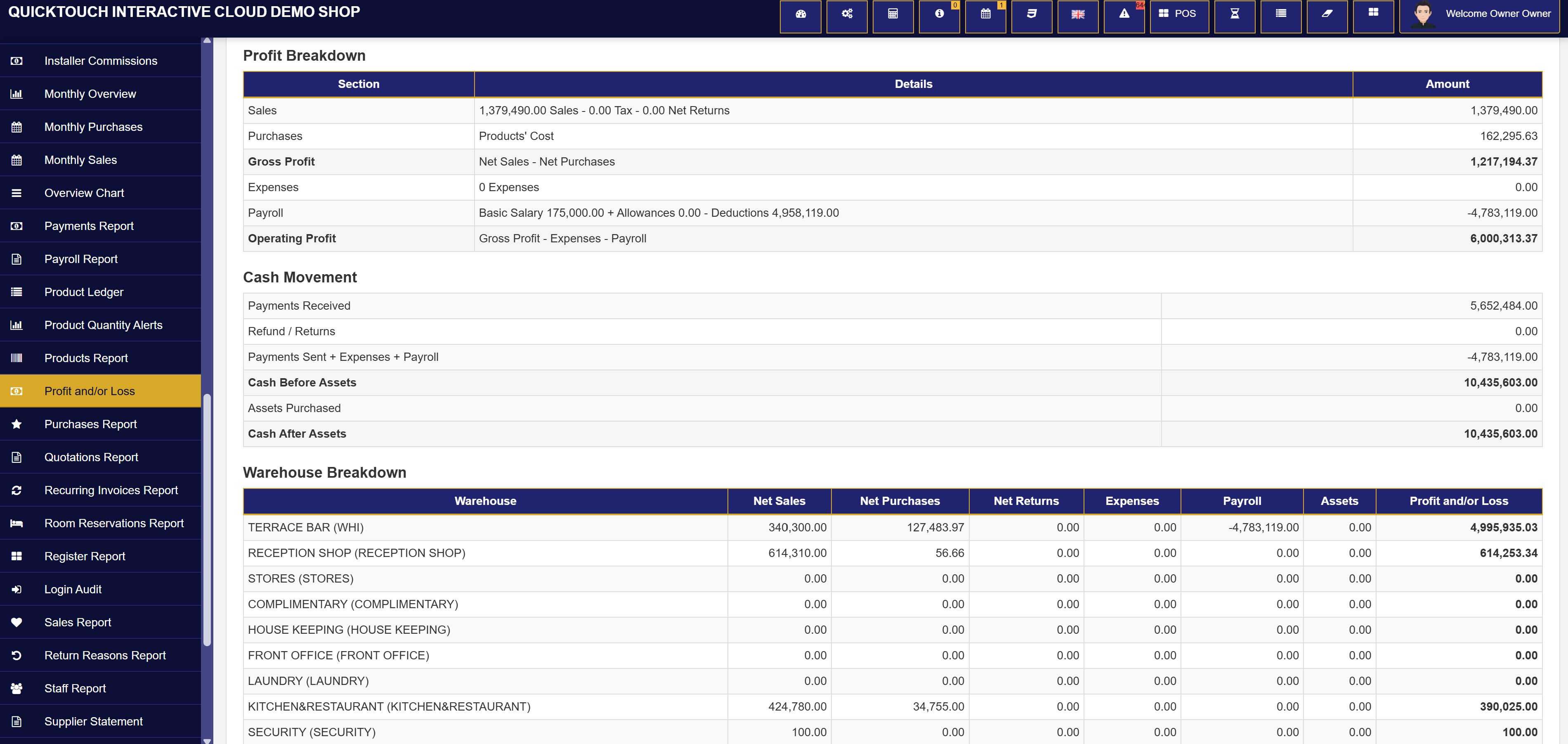
Step 05
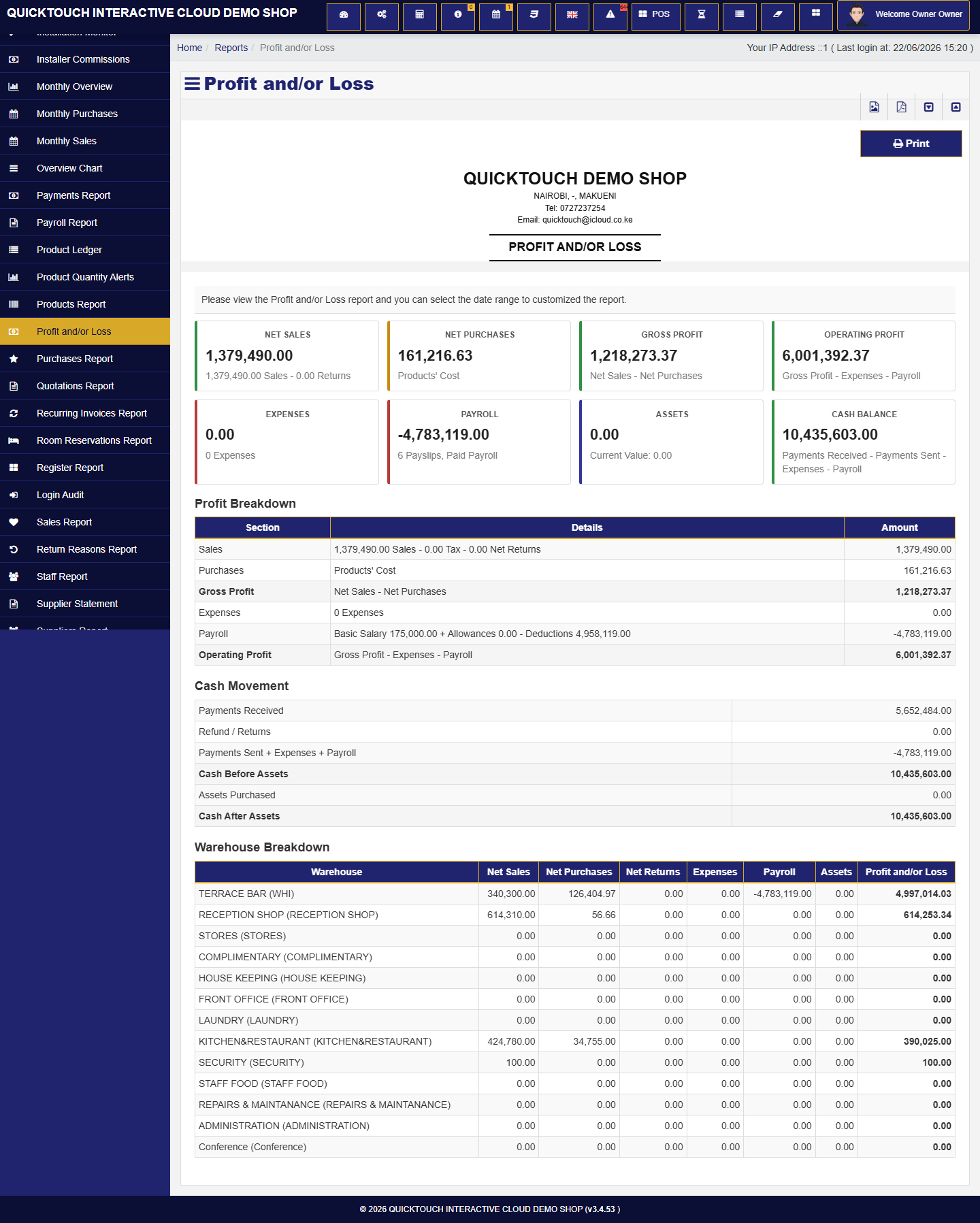
Profit and loss visibility
Business owners can filter business performance by dates, warehouses, and trading activity.
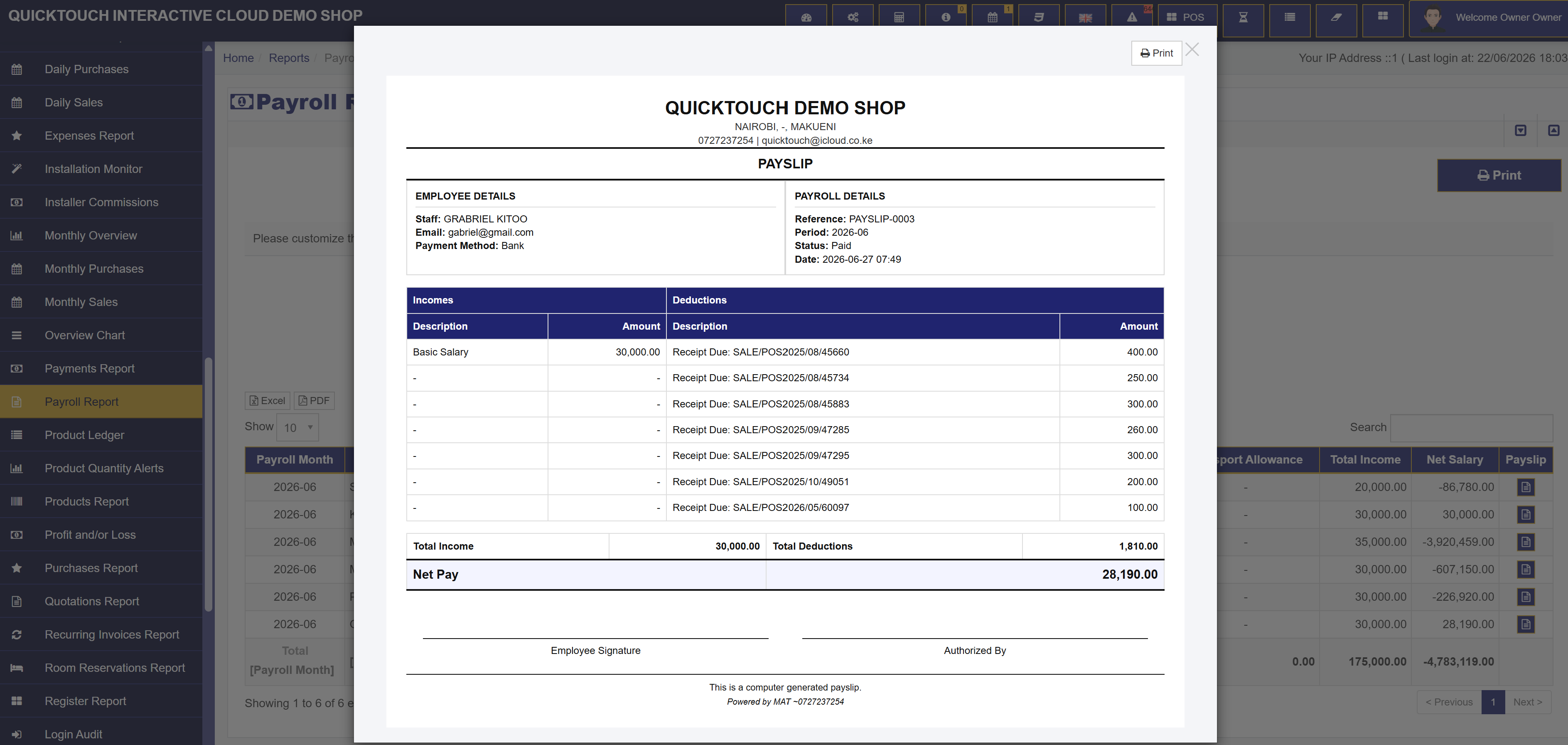
Step 06
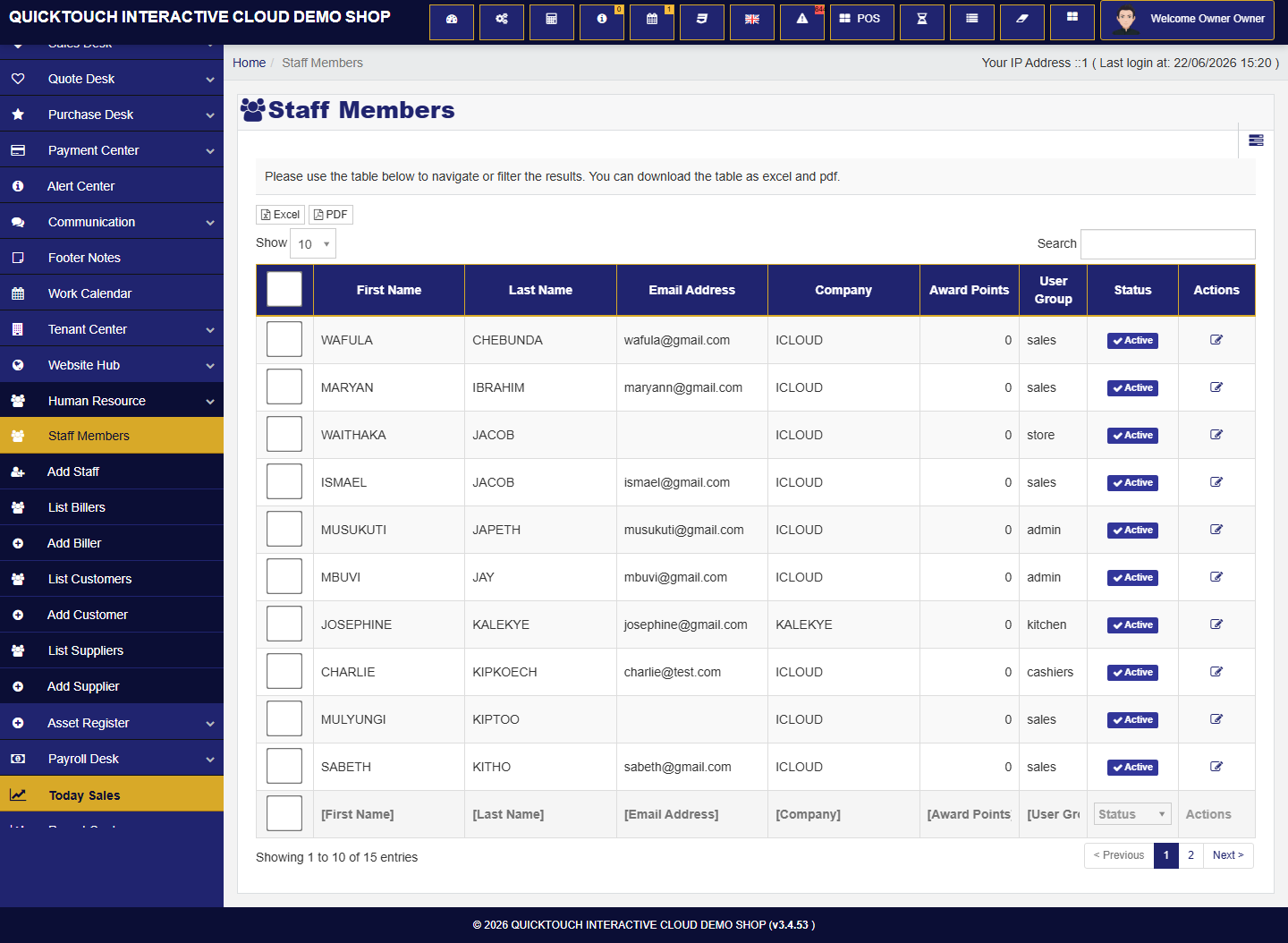
Human resource and staff control
Staff Members replace old user wording and keep staff accounts, groups, and permissions easy to manage.
Step 07
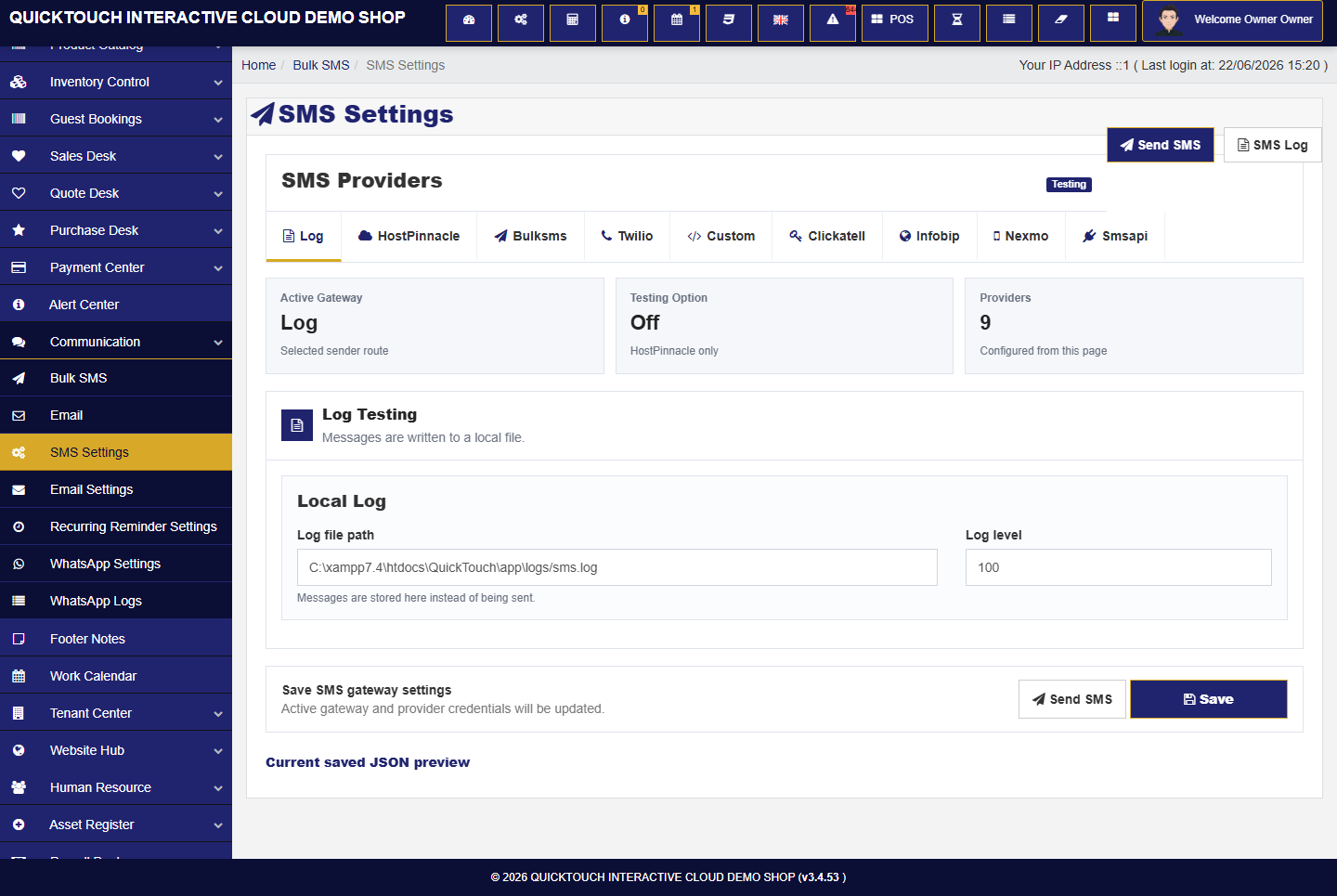
Communication tools
Bulk SMS, email, WhatsApp, provider settings, and recurring invoice reminders sit together.
Step 08
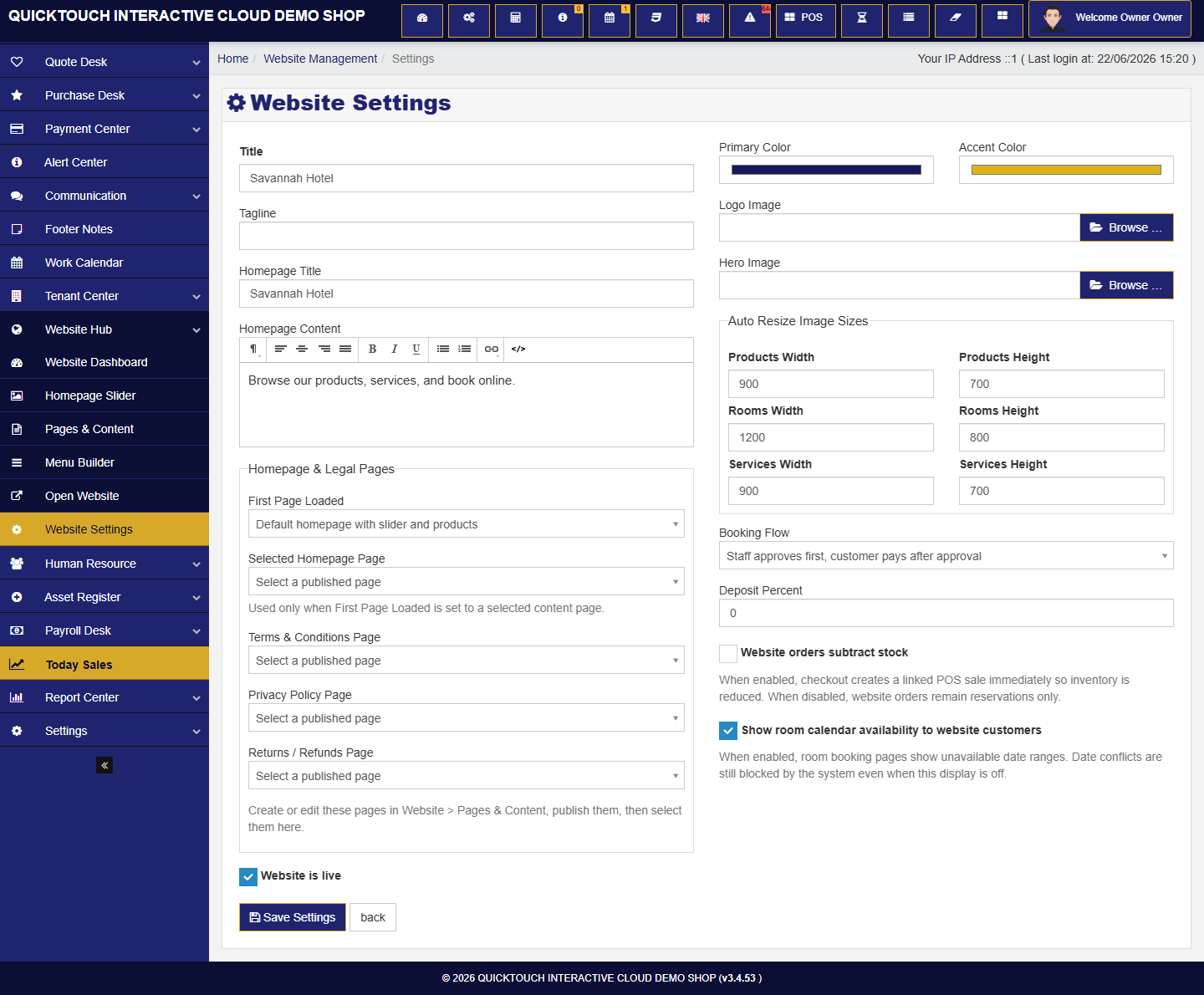
Website hub and ecommerce settings
Business owners can tune their storefront, product display, checkout, rooms, and online order flow.
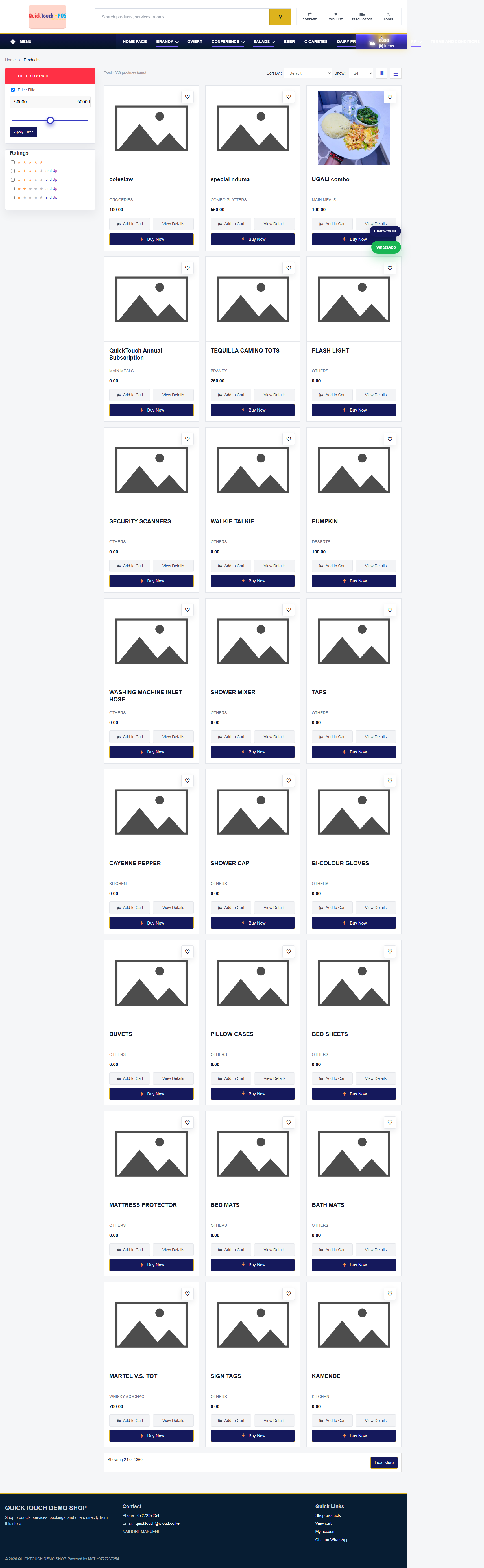
Step 09
Online checkout and M-Pesa
Customers can complete website orders while the business owner keeps payment, stock, and order tracking connected.
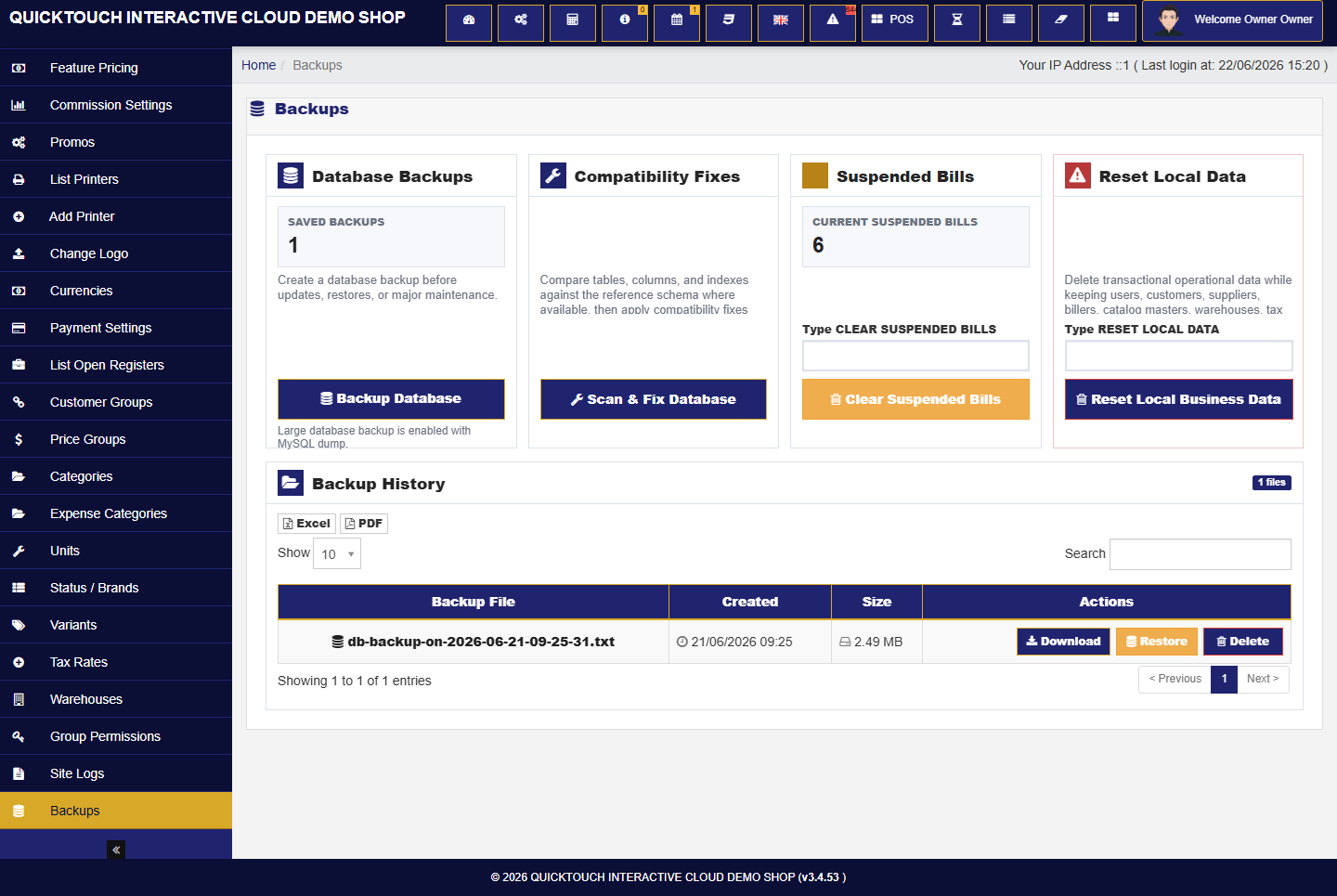
Step 10
Backups and compatibility repair
Database backups, repair scans, local data reset, and suspended bill clearing support long-term use.
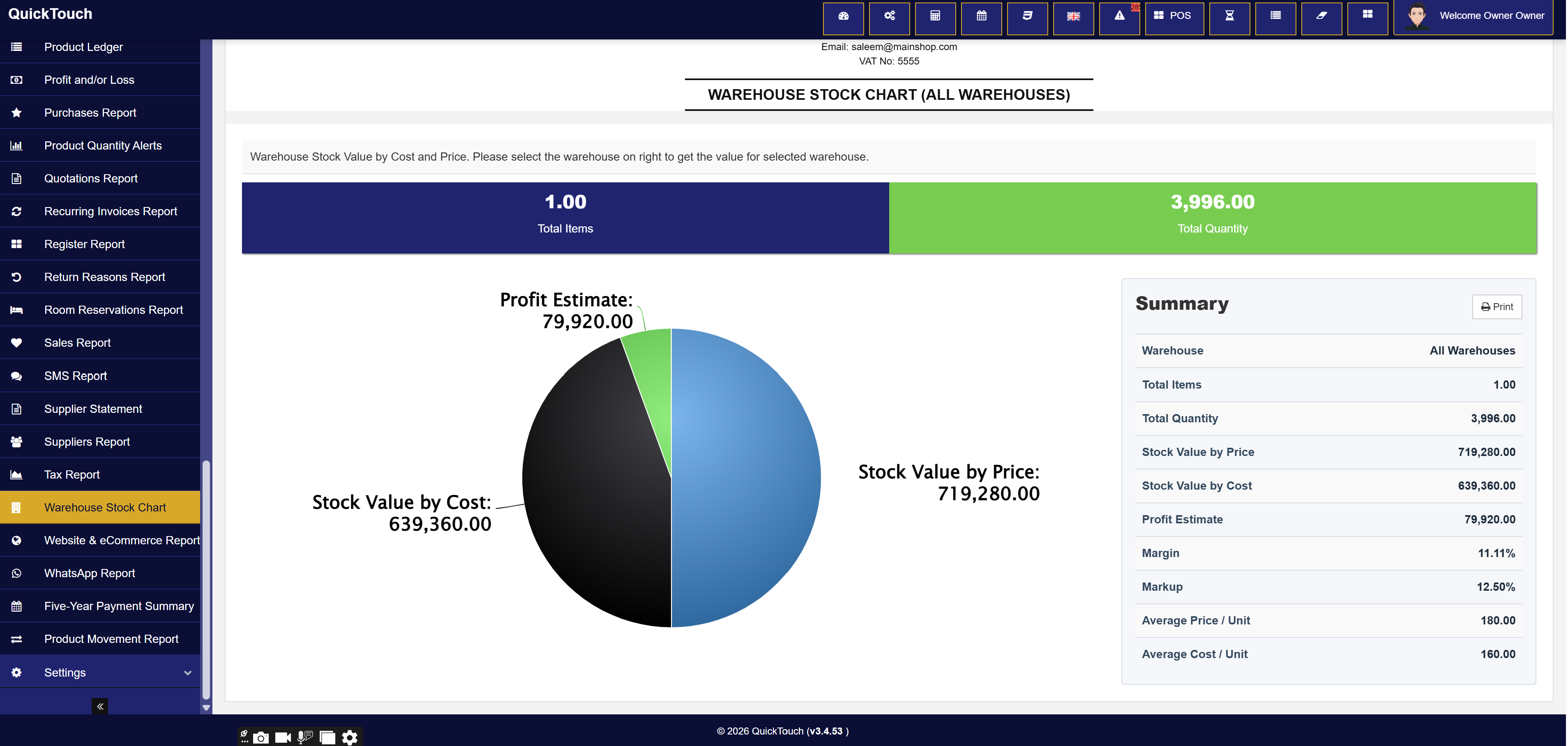
Step 11
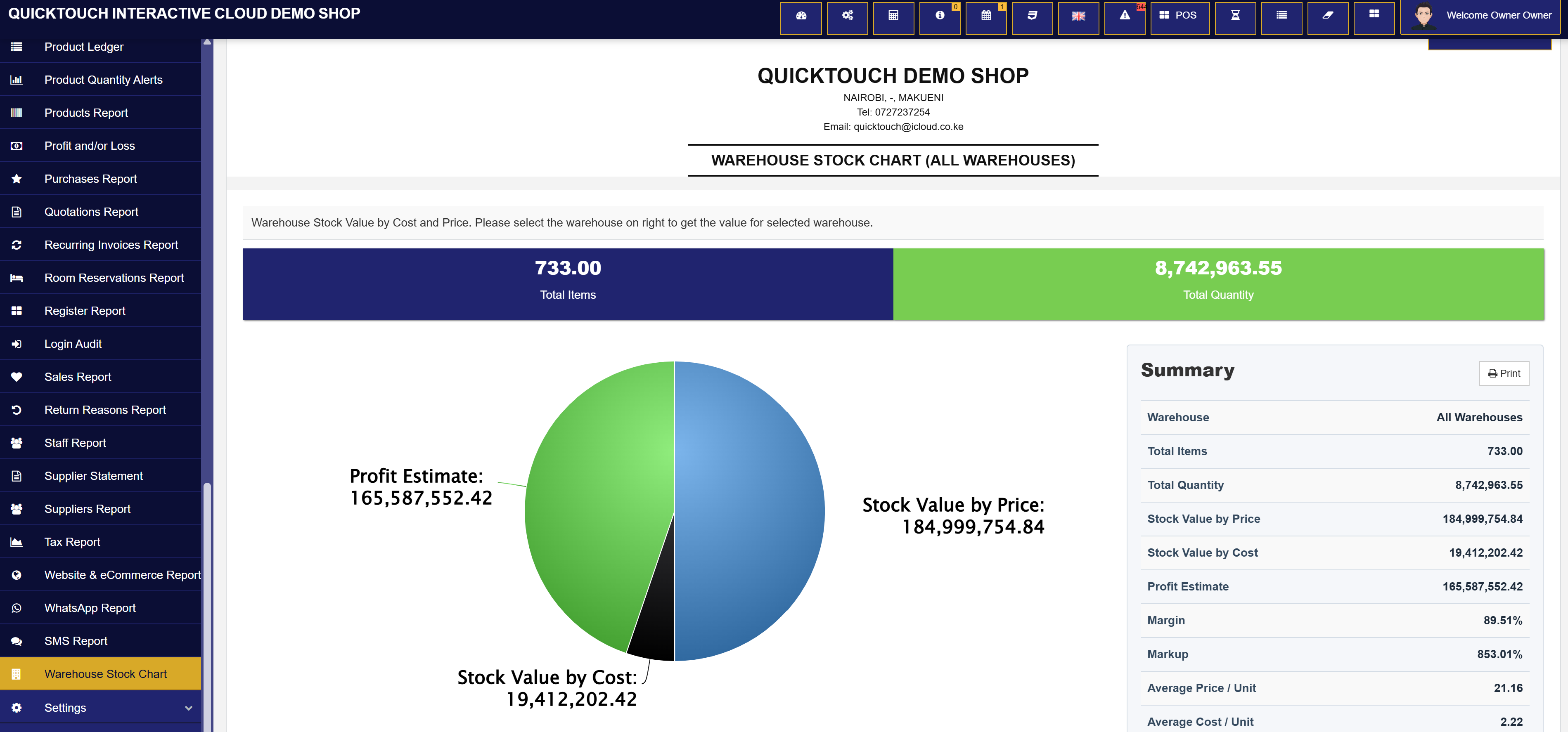
Warehouse stock value and profit estimates
Owners can compare stock value by selling price and cost, total quantities, margins, markup, and estimated inventory profit.
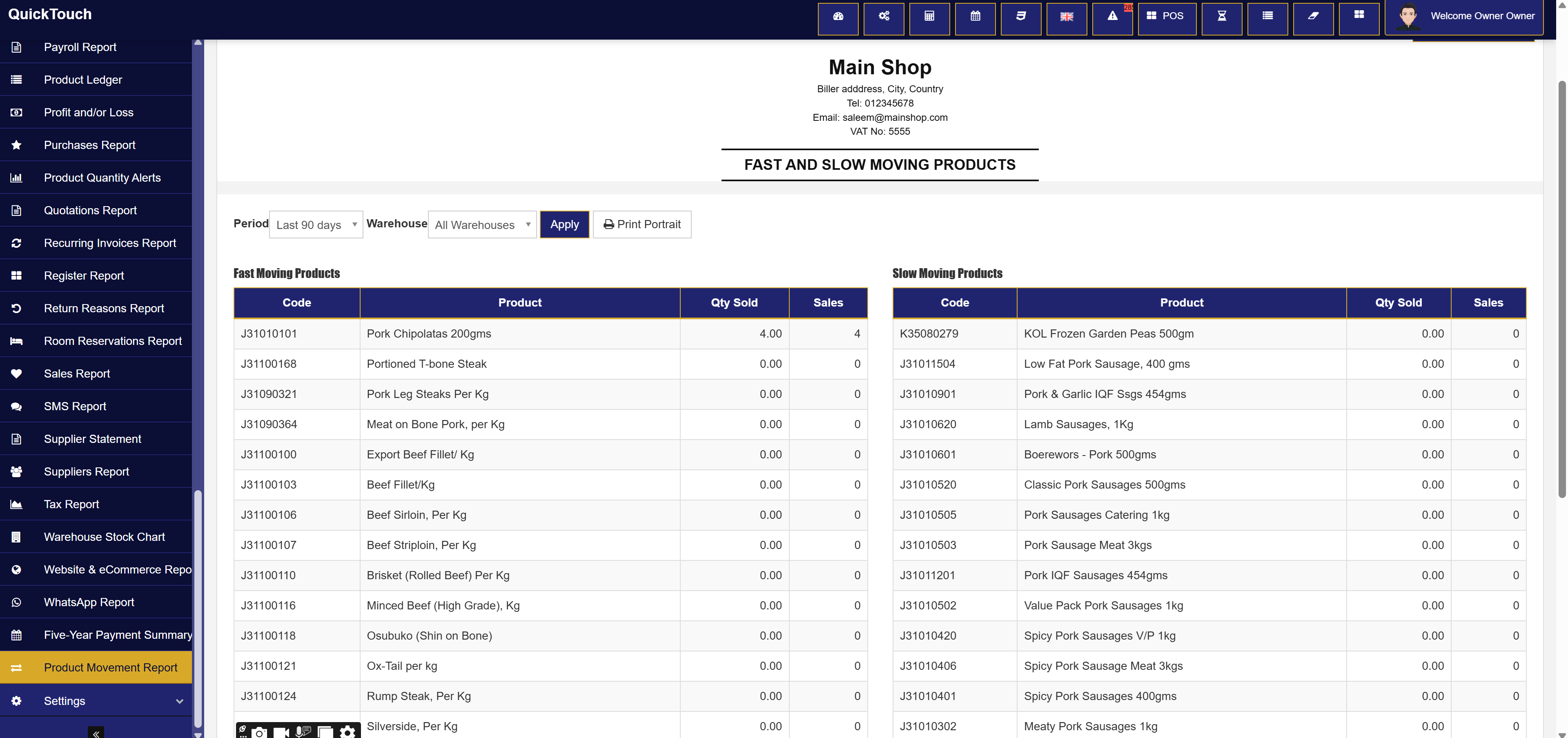
Step 12
Fast and slow moving product analysis
Product movement reports help businesses identify popular stock, low-demand products, quantities sold, and sales frequency.
Business rollout flow
From setup to daily operations
01
Configure the business
Set company details, logo, warehouses, registers, payment modes, tax, categories, units, and receipt style.
02
Add products, services, or rooms
Build the catalog once and reuse it in POS, stock reports, ecommerce, rooms, and order printing.
03
Control staff access
Business owners grant the exact modules staff should use, including split receipts and commission tracking.
04
Sell and communicate
Use POS, online checkout, reminders, SMS, email, WhatsApp, and reports to keep the business moving.
Point of Sale Systems Kenya and Africa
POS software, ecommerce, inventory, payments, computers, and business systems.
QuickTouch POS by Appbees Africa and MAT Academy Modern Technology is built for businesses searching for a reliable point of sale system in Kenya. It brings together retail inventory, hotel and restaurant POS, pharmacy and supermarket POS, salon management, ecommerce checkout, M-Pesa payments, reporting, and custom business software.
Run sales, products, services, stock, customers, staff access, payments, and daily reports from one cloud point of sale platform.
Support shops, hotels, restaurants, pharmacies, salons, boutiques, distributors, supermarkets, warehouses, service teams, and ecommerce stores.
Extend QuickTouch with business workflows such as school management, SACCO systems, logistics, tenancy management, timetabling, and reporting automation.
Build a dependable checkout with POS computers, thermal receipt printers, barcode scanners, cash drawers, customer displays, and other retail hardware.